Category: Tools

  • Selecting Project Management Software for Small Teams

    Selecting Project Management Software for Small Teams

    I remember sitting in a tiny, cluttered back office of a boutique client three years ago, watching a founder stare at a screen in total paralysis. She had just spent three months and a small fortune setting up the most expensive project management software on the market, thinking it would be the magic wand that fixed her business. Instead, she was drowning in notifications, color-coded tags, and complex sub-tasks that actually made her work harder instead of smarter. She didn’t need a digital playground; she needed a way to find her misplaced invoices and stop the constant firefighting.

    I’m not here to sell you on a shiny new subscription or tell you that a specific app will magically grant you your life back. My goal is to help you cut through the digital noise and figure out if you actually need more tech, or if you just need better processes. I’m going to give you the unfiltered truth about selecting project management software that actually serves your workflow rather than becoming another chore on your to-do list. Let’s stop chasing features and start building systems that work.

    Table of Contents

    Mastering Project Lifecycle Management Without Losing Your Mind

    Mastering Project Lifecycle Management Without Losing Your Mind

    Most founders treat a new project like a fire they need to put out, rather than a process they need to manage. They jump straight into the “doing” without a roadmap, which is exactly how you end up working until 10 PM on a Tuesday. To avoid this, you have to get serious about project lifecycle management. This isn’t about adding more layers of bureaucracy; it’s about defining clear stages—from the initial idea to the final hand-off—so nothing falls through the cracks. When you have a repeatable structure, you stop reacting to emergencies and start actually leading.

    The real killer of productivity, though, is the lack of clarity regarding who is doing what and when. I see so many boutique teams burning out because they have zero real-time project visibility. If you can’t see the status of a task without sending five different Slack messages, your system is broken. You don’t need complex agile project management methodologies that require a certification to understand; you just need to know exactly where the bottlenecks are before they become expensive mistakes. Stop guessing and start tracking.

    Achieving Real Time Project Visibility to Reclaim Your Evenings

    Achieving Real Time Project Visibility to Reclaim Your Evenings

    If you’re spending your Sunday nights staring at a ceiling, wondering if your team actually finished that inventory audit or if they’re still stuck on a bottleneck you didn’t see coming, you don’t have a people problem—you have a visibility problem. I see this constantly with boutique owners: they’re flying blind, relying on “quick check-in” emails or frantic Slack messages to gauge progress. That isn’t management; it’s firefighting. You need real-time project visibility so you can see the status of a task at a glance, without having to hunt down a human being to ask for an update.
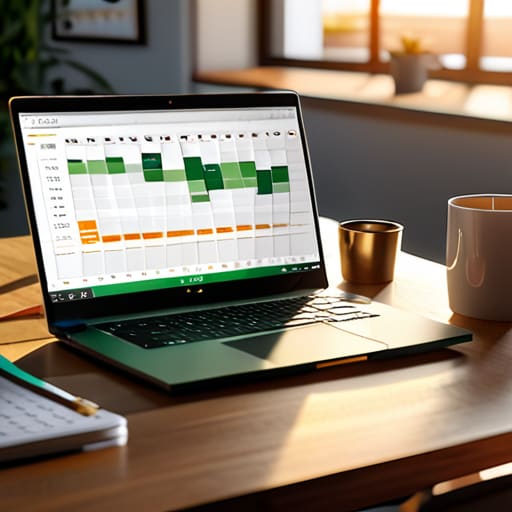
    The goal isn’t to micromanage every minute of your employees’ day; it’s to stop the mental load from following you home. When you implement proper resource allocation tools, you stop guessing who is overwhelmed and who is underutilized. Instead of waking up at 2:00 AM wondering if a shipment delay will derail your entire month, you should be able to look at a single dashboard and see exactly where the friction lies. True freedom comes from knowing your business is moving forward, even when you aren’t watching it.

    Stop Overcomplicating It: 5 Ways to Actually Make Your Software Work for You

    • Stop buying features you’ll never use. Most boutique owners get seduced by “all-in-one” platforms that come with a hundred bells and whistles, only to end up using about three of them. Pick a tool that solves your specific bottleneck—whether that’s task tracking or deadline visibility—and ignore the rest.
    • If your team won’t use it, it’s a waste of money. I’ve seen so many founders invest thousands in a high-end system only to find their staff still running the business via messy email threads and sticky notes. If the interface is too clunky for your actual workflow, ditch it.
    • Audit your data entry regularly. A project management tool is only as good as the information you put into it. If you aren’t updating your task statuses or timelines, you’re just looking at a digital version of a lie, and you’ll end up making bad decisions based on outdated info.
    • Standardize your workflows before you digitize them. This is the biggest mistake I see: trying to automate a broken process. If your manual workflow is a mess, putting it into software will just help you fail faster. Clean up the steps on paper first.
    • Use it to protect your time, not just to add more to your plate. The whole point of these tools is to get the “mental load” out of your head and into a system. If your software is just creating more notifications and anxiety, you’re using it wrong. It should be your brain’s external hard drive, not a source of constant distraction.

    The Bottom Line: Systems Over Shiny Objects

    Don’t mistake activity for progress; a tool is only as good as the workflow it supports, so map your processes on paper before you pay for a subscription.

    Use your software to create a single source of truth, because if you’re still hunting through email threads to find a deadline, your system has already failed you.

    Focus on visibility that actually matters—if your dashboard doesn’t tell you exactly where your bottlenecks are, it’s just digital clutter you don’t need.

    ## The Tool is Not the Solution

    “A new piece of software won’t fix a broken process; it’ll just help you execute your chaos faster. Don’t buy a subscription until you’ve actually mapped out how the work is supposed to flow.”

    Marisol Quintero

    Stop Managing Chaos and Start Leading

    Stop Managing Chaos and Start Leading.

    Look, at the end of the day, project management software isn’t a magic wand that will fix a fundamentally broken business model. If you don’t have clear lifecycles and real-time visibility, a new subscription is just another monthly expense adding to your clutter. We’ve covered how to map out your workflows and how to use data to actually see what’s happening in your business instead of guessing. The goal isn’t to become a slave to a dashboard; it’s to use these tools to build a foundation that actually supports your growth. Use the software to automate the mundane, track the vital numbers, and stop the manual firefighting that eats up your entire afternoon.

    I want you to remember why you started this business in the first place. It probably wasn’t to spend your Friday nights staring at a spreadsheet or chasing down team members for status updates. You started this to build something meaningful, something that offers you freedom, not a different kind of cage. Implementing these systems is hard work, and it takes discipline to stick to them, but it is the only way to ensure your business serves your life rather than consuming it. Build for sustainability, not just for speed. Once your systems are solid, you’ll finally have the breathing room to actually enjoy the empire you’re building.

    Frequently Asked Questions

    I already have a dozen spreadsheets and a chaotic group chat; do I actually need a dedicated tool, or am I just buying more digital clutter?

    Look, I’ve seen this a hundred times: a founder drowning in a sea of tabs and frantic WhatsApp notifications. If your spreadsheets are constantly out of sync and you’re spending your evenings hunting for “that one file,” you don’t have a tool problem—you have a visibility problem. A dedicated tool isn’t just more clutter; it’s the single source of truth that stops the leaks. If you can’t find an answer in thirty seconds, your “system” is broken.

    How do I get my team to actually use this software instead of treating it like just another chore on their to-do list?

    If your team views your software as a chore, you’ve likely made it a data-entry prison rather than a tool. Stop mandating “updates” and start demonstrating value. If they can’t see how the tool saves them twenty minutes of mindless emailing, they won’t use it. Make it the single source of truth: if a task isn’t in the system, it doesn’t exist. Stop chasing compliance and start building a workflow that actually lightens their load.

    At what point does the cost of a premium subscription actually start paying for itself in saved time and reduced errors?

    It pays for itself the moment you stop paying people to hunt for information. If your team is spending three hours a week digging through email threads or fixing manual data entry errors, you’re already losing money. I tell my clients: don’t look at the subscription fee as an expense; look at it as an investment in your sanity. If the software eliminates even one major oversight or saves your manager five hours a month, it’s already earned its keep.

  • Essential Email Marketing Tools for Growing Brands

    Essential Email Marketing Tools for Growing Brands

    I spent the better part of last Tuesday sitting in a cluttered home office with a boutique owner who was ready to cry. She had just dropped three months’ worth of profit on a “revolutionary” software suite that promised to automate her entire life, but all it did was create a massive, unmanageable mess of data she didn’t know how to read. Most people will tell you that you need the flashiest, most expensive email marketing tools on the market to see results, but they’re lying to you. You don’t need a cockpit of buttons and bells; you need a system that actually talks to your bottom line without requiring a PhD to operate.

    I’m not here to sell you on the latest shiny object or some “guru” strategy that promises overnight virality. Instead, I’m going to strip away the fluff and show you how to choose tools that actually serve your business, not the other way around. We’re going to focus on practicality over prestige, looking at the specific systems that help you track your real numbers and reclaim your time. If you’re tired of chasing hype and just want to build a sustainable engine for your brand, let’s get to work.

    Table of Contents

    An Honest Email Service Provider Comparison for Real Growth

    An Honest Email Service Provider Comparison for Real Growth

    Look, most reviews of these platforms feel like they were written by someone who’s never actually had to manage a messy subscriber list during a holiday rush. They focus on flashy features that look great in a demo but fall apart when you’re trying to scale. When you’re doing an email service provider comparison, stop looking at the bells and whistles. I want you to look at the plumbing. If a platform makes it difficult to set up basic marketing automation workflows without a degree in computer science, it’s going to become a bottleneck for your business, not a solution.

    You don’t need every single feature under the sun; you need tools that actually work when your volume spikes. I’ve seen too many founders get stuck in expensive subscriptions for software that offers complex segmentation and personalization tools they never even touch. Focus on the providers that prioritize email deliverability optimization and provide clear, no-nonsense email analytics and reporting. If you can’t see exactly where your money is going and which customers are actually engaging, you aren’t managing a marketing strategy—you’re just guessing.

    Mastering Email Campaign Management Without Losing Your Sanity

    Mastering Email Campaign Management Without Losing Your Sanity

    Most founders I consult with treat their email list like a megaphone, shouting the same message at everyone and hoping something sticks. That is a recipe for burnout and high unsubscribe rates. If you want to scale without spending your entire Sunday staring at a screen, you have to lean into marketing automation workflows. Instead of manually hitting “send” on every single update, set up systems that trigger based on customer behavior. When a new subscriber joins or someone abandons a cart, the system should do the heavy lifting for you.

    However, automation isn’t a “set it and forget it” magic trick; it requires discipline. You need to move past basic blasts and start utilizing segmentation and personalization tools to ensure the right people get the right message. Sending a high-end collection announcement to someone who only buys your clearance items isn’t just annoying—it’s inefficient. Once you have your segments dialed in, keep a close eye on your data. If your open rates are tanking, it’s time to stop tweaking your copy and start looking at your email deliverability optimization to make sure you aren’t landing straight in the spam folder.

    Five Ways to Stop Wasting Time and Start Using Your Tools Properly

    • Stop paying for the “all-in-one” trap. Most boutique owners sign up for massive platforms with fifty features they’ll never touch. Pick a tool that does the basics—segmentation, automation, and clean reporting—exceptionally well, and ignore the rest.
    • Automate your welcome sequence immediately. If you are manually emailing every new subscriber, you aren’t running a business; you’re running a hobby. Set up a three-part automated flow so your brand stays top-of-mind while you’re actually sleeping.
    • Clean your list like you clean your storefront. A massive list of unengaged subscribers is just a vanity metric that’s costing you money in monthly fees. If they haven’t opened an email in six months, purge them. Quality beats quantity every single time.
    • Prioritize segmentation over “blast” emails. Sending the same generic message to your entire list is the fastest way to hit the spam folder. Use your tool to group customers by what they actually bought so your messages feel like a conversation, not a sales pitch.
    • Audit your data once a month, not once a year. Don’t just look at “open rates”—look at your click-through rates and, more importantly, your conversion numbers. If the tool isn’t showing you exactly how much revenue an email generated, it’s not doing its job.

    The Bottom Line: Systems Over Hype

    Stop chasing the flashiest new features; pick a tool that integrates seamlessly with your current workflow and actually gives you the data you need to make decisions.

    Automation isn’t about being lazy—it’s about building a repeatable engine so you aren’t manually hitting ‘send’ every time you want to reach your customers.

    If you aren’t tracking your open rates and conversions, you aren’t marketing, you’re just guessing—and guessing is an expensive way to run a business.

    ## The Hard Truth About Your Tech Stack

    Stop looking for a “magic” email tool that will fix your sales for you. A fancy platform won’t save a broken strategy; you need a reliable system that tracks your actual numbers so you can stop guessing and start building something that actually scales.

    Marisol Quintero

    Stop Overthinking and Start Building

    Stop Overthinking and Start Building email workflows.

    Look, choosing an email marketing tool isn’t about finding the one with the flashiest interface or the most expensive AI automation features. It’s about finding the one that actually integrates with your current workflow and gives you the clean, actionable data you need to make decisions. We’ve covered how to compare providers without getting distracted by hype, and more importantly, how to manage your campaigns so they don’t become another source of chaos in your daily schedule. If you pick a tool that is too complex for your current scale, you’re just adding more “noise” to a system that’s already struggling. Focus on reliability and simplicity over bells and whistles every single time.

    At the end of the day, your email list is one of the few assets you actually own in this digital landscape. Don’t let it sit idle because you’re waiting for the “perfect” setup or the latest trend to sweep through your niche. Build your systems, learn your numbers, and get your messaging out there. A business that runs on solid, repeatable processes is a business that actually gives you your life back. Stop chasing the algorithm and start building a direct line to the people who actually want to buy from you. Now, go close that laptop and get to work on the systems that matter.

    Frequently Asked Questions

    I've already got a decent following on Instagram; is it actually worth the time to set up a separate email system right now?

    Look, I get it. Instagram feels easy because the engagement is right there in front of you. But you don’t own that platform; Mark Zuckerberg does. If the algorithm shifts tomorrow, your “following” vanishes. An email list is an asset you actually own and control. Stop building your house on rented land. Even if it feels like extra work now, setting up a system today is the only way to ensure your business survives a platform meltdown.

    Most of these platforms look incredibly complex—how do I know if a tool is going to save me time or just become another messy workflow I have to manage?

    Look, I get it. Most of these platforms are built for enterprise-level teams with entire departments to manage them. You don’t need a cockpit; you need a dashboard. Before you sign up, run a “stress test”: pick one specific workflow—like a welcome sequence—and see how many clicks it takes to set it up. If you need a PhD to launch a simple blast, walk away. If it adds complexity without automating a repetitive task, it’s just more clutter.

    How much should I actually be budgeting for these tools if I want to scale without breaking my margins?

    Look, don’t let a SaaS company talk you into a “pro” tier you don’t need yet. If you’re just starting to systematize, aim to keep your entire tech stack under 3-5% of your gross revenue. If your email tool is eating a bigger chunk than that, you aren’t scaling; you’re just subsidizing their growth. Focus on tools that grow with your list size, not ones that charge you for bells and whistles you’ll never use.

  • Choosing the Right Crm for Your Small Business

    Choosing the Right Crm for Your Small Business

    I was sitting in a client’s cramped back office last Tuesday, watching a boutique owner spiral because she’d just spent three months’ profit on a high-end, enterprise-grade CRM software suite that she didn’t even know how to log into. It was a mess of unused features and expensive “bells and whistles” that did nothing to solve her actual problem: she was losing track of her best customers in a sea of sticky notes and spreadsheets. Most people will tell you that you need the most expensive, flashy platform on the market to “scale,” but let me tell you something—if your backend processes are a disaster, a fancy dashboard is just a more expensive way to stay disorganized.

    I’m not here to sell you on some magical digital savior or a complex tech stack that requires a PhD to operate. My goal is to cut through the sales pitches and show you how to choose a tool that actually works for your specific workflow. I’m going to give you the straight talk on what matters: data integrity, ease of use, and how to leverage your customer information to reclaim your time. We are going to focus on building a system that serves your life, not one that turns you into a full-time data entry clerk.

    Table of Contents

    Master Your Sales Pipeline Management Without the Chaos

    Master Your Sales Pipeline Management Without the Chaos

    If you’re still tracking potential deals through a mix of sticky notes, mental checklists, and a messy inbox, you aren’t running a business—you’re managing a crisis. Real sales pipeline management isn’t about having a fancy dashboard that looks good in a boardroom; it’s about knowing exactly where every single lead stands at any given moment. When you can’t see the gaps in your process, you end up playing whack-a-mole with customers instead of proactively closing deals.

    The goal is to move people through their specific customer lifecycle stages without the manual heavy lifting that leads to burnout. I see so many boutique owners stalling their growth because they’re terrified of the “tech” side of things. But here’s the reality: if you aren’t using automated workflow tools to nudge a prospect or follow up on a quote, you are literally leaving money on the table. You need a system that handles the repetitive, soul-crushing administrative tasks so you can actually focus on the high-level strategy that moves the needle.

    Ditch the Manual Grind for Automated Workflow Tools

    Ditch the Manual Grind for Automated Workflow Tools.

    If you’re still spending your Sunday nights manually moving names from a spreadsheet to an email list, you aren’t running a business—you’re running a data entry job. I’ve seen too many founders burn out because they’re stuck in the weeds of administrative busywork instead of focusing on high-level strategy. Implementing automated workflow tools isn’t about being lazy; it’s about reclaiming your time. When your system automatically triggers a follow-up email the moment a new lead enters your system, you’re ensuring nothing falls through the cracks while you’re actually out living your life.

    The goal is to create a seamless transition through your various customer lifecycle stages without you having to lift a finger for every minor update. When your processes are automated, you stop reacting to fires and start predicting your next move. This shift allows you to focus on the human side of your boutique—the relationships and the craft—while the technology handles the repetitive, soul-crushing tasks that keep you stuck in a cycle of constant manual labor.

    5 Ways to Stop Using Your CRM as a Digital Graveyard

    • Stop treating your CRM like a glorified contact list; if you aren’t using it to track the specific touchpoints that actually lead to a sale, you’re just paying for a very expensive address book.
    • Clean your data or don’t bother using it—I see too many founders making decisions based on messy, outdated info, and quite frankly, bad data will lead you to bad business decisions every single time.
    • Automate the boring stuff, not the relationship stuff—use the software to send your follow-up reminders and update deal stages, but never let a bot handle the actual human connection that builds trust.
    • Focus on the metrics that matter, not the vanity ones—I don’t care how many “leads” are in your system if you aren’t tracking your conversion rate and your customer acquisition cost.
    • Make sure your CRM talks to your other tools—if your sales data is trapped in one silo and your marketing data is in another, you’re working twice as hard as you need to just to see the full picture.

    The Bottom Line: Systems Over Hype

    Stop treating your customer data like a junk drawer; a CRM is only useful if you actually use the data to make informed decisions about where your money is going.

    Automation isn’t about replacing the personal touch that makes your boutique special, it’s about offloading the repetitive grunt work so you actually have the energy to be human with your clients.

    If you can’t see your sales pipeline clearly, you aren’t running a business—you’re running a series of expensive accidents. Get the visibility you need to scale predictably.

    ## Stop Treating Your Customer Data Like a Junk Drawer

    “If you’re still tracking your leads on sticky notes or messy spreadsheets, you aren’t running a business—you’re managing a crisis. A CRM isn’t just another digital tool to learn; it’s the foundation that lets you stop playing catch-up and start actually scaling.”

    Marisol Quintero

    Stop Playing Catch-up and Start Leading

    Stop Playing Catch-up and Start Leading.

    At the end of the day, implementing a CRM isn’t about adding another digital chore to your to-do list; it’s about reclaiming your time. We’ve talked about moving away from the manual grind, cleaning up your sales pipeline, and finally getting a handle on your customer data. If you continue to rely on spreadsheets, sticky notes, or your own memory, you aren’t running a business—you’re managing a constant state of crisis. A solid CRM gives you the visibility you need to stop guessing and start making decisions based on actual, verifiable numbers rather than gut feelings and frantic guesswork.

    I want you to take a second and think about why you started this business in the first place. It probably wasn’t to spend your Sunday evenings hunting through email threads trying to remember what a lead requested three weeks ago. You started this to build something meaningful, something that supports your life instead of dictating every waking hour of it. Investing in the right systems is the only way to bridge the gap between surviving the daily chaos and actually scaling a sustainable brand. Put the systems in place now, so you can eventually step back and let the business work for you.

    Frequently Asked Questions

    How do I know if my current team is actually using the CRM, or if they're just adding more manual work to their day?

    Look at your data, not your team’s excuses. If you see a bunch of “dead” leads or contact entries with zero activity logs, they aren’t using it—they’re just treating it like a digital filing cabinet. A CRM is only useful if it’s a living record of movement. If you have to ask them for a status update because the software is empty, you don’t have a tool; you have an expensive, glorified spreadsheet.

    I don't have a massive tech budget; which CRM features are actually essential for a boutique retailer and which ones are just expensive fluff?

    Look, I see boutique owners getting seduced by flashy AI forecasting and complex social integration tools they’ll never use. If you’re on a budget, ignore the fluff. You only need three things: a solid customer database, automated follow-ups, and clear purchase history. If the software can’t tell you who your top 20% of customers are and help you reach them without manual emailing, it’s just an expensive digital paperweight. Stick to the basics.

    How much time will it realistically take to migrate my existing customer data without breaking my current workflow?

    Look, I’m not going to sugarcoat it: a clean migration usually takes anywhere from a few days to two weeks, depending on how messy your current spreadsheets are. If you try to move everything at once during your peak season, you’re asking for a headache. My advice? Do a phased migration. Move your active leads first, clean them up, and get the new system running before you dump the old archives in.