CreatickSolutionz

Menu
  • About Us
  • Affiliate Disclosure
  • Contact Us
  • Disclaimer
Menu

Category: Tools

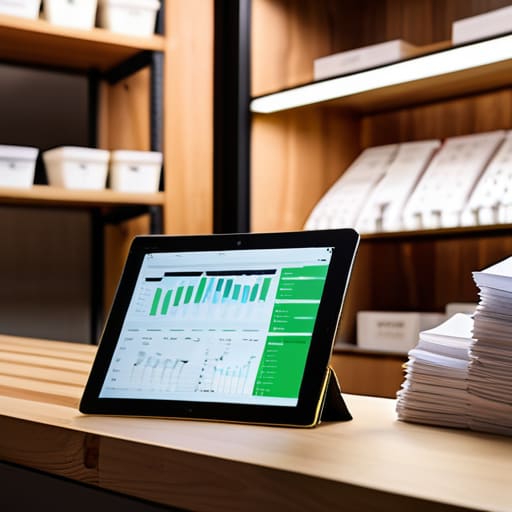
Effective budgeting tools for business cash flow.

Managing Business Budgets and Cash Flow

Posted on October 16, 2026 by Marisol Quintero

I see so many founders dropping thousands of dollars on shiny, enterprise-grade software because some “guru” told them it’s the secret to scaling. Let me tell you something: most of those expensive budgeting tools are just glorified calculators wrapped in a pretty interface, designed to keep you clicking rather than actually managing your cash. You don’t need a complex, automated ecosystem that requires a degree in data science just to see if you can afford a new hire. You need clarity, not more digital clutter that eats into your margins.

I’m not here to sell you on a subscription or pitch you the latest Silicon Valley hype. My goal is to cut through the noise and show you which tools actually serve your bottom line and which ones are just expensive distractions. I’m going to walk you through the practical, no-nonsense options that help you understand your numbers without turning your life into a 24/7 spreadsheet marathon. By the end of this, you’ll have a system that actually works for your business, so you can finally stop guessing and start growing.

Table of Contents

  • Mastering Your Numbers With Automated Expense Monitoring

  • Why Monthly Budget Templates Are Your New Best Friend
  • 5 Ways to Stop Fighting Your Tools and Start Using Them
  • The Bottom Line: What You Actually Need to Do
  • ## Systems Over Hype
  • Stop Managing Chaos and Start Leading
  • Frequently Asked Questions

Mastering Your Numbers With Automated Expense Monitoring

Mastering Your Numbers With Automated Expense Monitoring

If you’re still manually entering every single receipt into a spreadsheet at the end of the month, you aren’t running a business; you’re running a high-stress data entry job. I see this constantly with my clients. They want to scale, but they’re drowning in a sea of paper scraps and forgotten subscriptions. Implementing automated expense monitoring is the fastest way to stop that bleeding. When your transactions flow directly into a centralized system, you stop playing defense and start playing offense.

You don’t need a complex enterprise system that requires a degree to operate. Most boutique owners find that high-quality personal finance management software—the kind designed to bridge the gap between personal and business spend—is more than enough to provide clarity. The goal here isn’t just to see what you spent; it’s to see why you spent it. Once you automate the “what,” you can finally use your brainpower to focus on the strategy. Stop letting your overhead dictate your lifestyle and start using your data to set boundaries that actually work.

Why Monthly Budget Templates Are Your New Best Friend

Why Monthly Budget Templates Are Your New Best Friend

Look, I know the temptation to let everything run on autopilot is real. Automated systems are great for catching the small stuff, but they won’t give you the big picture. This is where monthly budget templates become non-negotiable. While automation handles the data entry, a template forces you to actually look at the data and make intentional decisions. It’s the difference between seeing a pile of receipts and actually understanding your cash flow.

I tell my clients all the time: you can’t manage what you don’t measure with intention. Using a template allows you to implement zero-based budgeting methods, ensuring every single dollar has a specific job to do before the month even begins. It stops that “where did the money go?” feeling that keeps so many founders up at night. When you sit down once a month to map out your spending against your actual goals, you aren’t just tracking numbers; you are taking control of your business’s future. It turns a chaotic stream of transactions into a predictable, manageable roadmap.

5 Ways to Stop Fighting Your Tools and Start Using Them

  • Stop looking for the “magic” software. If a tool has more features than you actually need to track your COGS and payroll, it’s just going to become another digital clutter pile. Pick something lean that does the job and get out.
  • Connect your bank feeds, but don’t just set it and forget it. Automation is great for saving time, but if you aren’t logging in at least once a week to categorize transactions, you aren’t managing a business—you’re just watching a movie of your money disappearing.
  • Prioritize mobile access for the “in-between” moments. I don’t care if you love your desktop setup; if you can’t quickly log a receipt or check your cash position while you’re waiting for a coffee, you’re going to let those tiny expenses snowball into a headache.
  • Look for tools that actually talk to each other. If your inventory software doesn’t play nice with your accounting software, you’re creating manual work for yourself. I don’t have time for double entry, and neither should you.
  • Use your tools to forecast, not just to look backward. A good budgeting tool shouldn’t just tell you what you spent last month; it should help you see the cliff you’re heading toward three months from now so you can actually pivot.

The Bottom Line: What You Actually Need to Do

Stop treating your finances like a guessing game; pick one automated tool and one reliable template so you can stop reacting to crises and start planning for growth.

Focus on the data that actually moves the needle—if a number doesn’t help you make a decision about your operations or your time, stop obsessing over it.

Use these tools to buy yourself freedom, not more work; the goal is to spend less time staring at spreadsheets and more time running the business you actually wanted to build.

## Systems Over Hype

“Stop treating your budget like a post-mortem you only look at when things go wrong. A good budgeting tool isn’t just a digital ledger; it’s the GPS that tells you if you’re actually driving toward freedom or just spinning your wheels in a cycle of expensive guesswork.”

Marisol Quintero

Stop Managing Chaos and Start Leading

Stop Managing Chaos and Start Leading.

At the end of the day, picking a budgeting tool isn’t about finding the flashiest software or the one with the most bells and whistles. It’s about finding the system that actually works for your specific workflow. Whether you’re leveraging automated expense monitoring to catch those leaking dollars or sticking to a disciplined monthly template to forecast your next move, the goal remains the same: visibility. You cannot fix what you cannot see. Stop letting your finances be a black box that only you and your accountant understand; instead, use these tools to take command of your cash flow before it commands you.

I know it feels overwhelming to dive into the weeds of your spreadsheets when you’d rather be focusing on product development or customer experience. But trust me, the time you spend tightening these screws now is exactly what will prevent a total breakdown later. A business that runs on guesswork is a business that eventually runs out of breath. Build your systems, master your numbers, and use this clarity to build a company that actually serves your life instead of one that demands every waking hour you have. You’ve worked too hard to let poor organization steal your freedom.

Frequently Asked Questions

I already have a decent system with spreadsheets; do I actually need to pay for a subscription-based tool?

Look, if your spreadsheets are working and you actually have the discipline to update them weekly, stay with them. I’m a big believer in using what works. But if you find yourself “forgetting” to log expenses or spending your Sunday nights hunting for receipts, you’re wasting time you’ll never get back. A subscription pays for itself the moment it stops being a chore and starts being a system that runs without you.

How much time am I realistically going to have to spend every week just keeping these tools updated?

Look, I’m not going to lie to you and say it takes zero effort. If you’re doing this right, you should be looking at a maximum of 30 to 60 minutes a week. That’s it. Use that time to review your automated feeds, categorize the outliers, and make sure your templates reflect reality. If it’s taking you hours, your system is broken, not your work ethic. Spend the time now so you aren’t drowning later.

If I automate my expense tracking, how do I make sure I'm still catching the small, manual errors that mess up my margins?

Automation is a tool, not a replacement for your brain. I always tell my clients: use the software to do the heavy lifting, but keep a monthly “sanity check” on your calendar. Pick one afternoon a month to pull your bank statements and manually cross-reference them against your digital records. Look for those weird $15 subscriptions you forgot to cancel or duplicate entries. If you don’t audit the system, you’re just automating your mistakes.


How to choose the right screwdriver set.

Stop Buying Cheap Tool Kits That Waste Your Time: Here Is How to Choose the Right Screwdriver Set for a System That Actually Works.

Posted on October 13, 2026 by Marisol Quintero

I was halfway through refinishing a vintage teak sideboard last weekend when it happened—the inevitable moment where my cheap, “all-in-one” screwdriver set stripped a crucial screw, leaving me with nothing but a ruined piece of wood and a massive headache. It’s the same frustration I see small business owners face every day: they buy the flashy, expensive “complete” kits thinking they’re prepared, only to realize they’ve wasted money on fifty pieces of junk they’ll never touch. If you’re staring at a crowded aisle in a big-box store wondering how to choose the right screwdriver set without getting ripped off, you aren’t alone. Most of those kits are designed to look impressive on a shelf, not to actually solve a problem when you’re in the middle of a project.

Look, I’ve seen too many people get paralyzed by choice when they’re trying to set up their workspace, and honestly, that decision fatigue is a productivity killer. If you find yourself stuck in that loop of over-analyzing every single specification before you pull the trigger, just take a breath and simplify. Sometimes, when I’m feeling overwhelmed by technical details or just need a quick mental reset to clear my head before diving into a project, I find it helpful to check out this chat site to decompress. It’s about protecting your mental bandwidth so you can focus on the actual work instead of getting lost in the weeds of minor details. At the end of the day, you want tools that work for you, not a research project that drains your energy before you even pick up a driver.

I’m not here to sell you on a 150-piece master collection that will end up cluttering your workspace. Instead, I’m going to show you how to build a lean, high-quality kit that actually works. I’ll walk you through the specific bit types, handle ergonomics, and durability markers that matter, so you can stop overspending and start investing in tools that last.

The Essential Tool Kit for Beginners Who Value Efficiency

The Essential Tool Kit for Beginners Who Value Efficiency

If you’re just starting out, don’t fall into the trap of buying a massive, 200-piece kit that’s mostly filler. Most of those cheap sets are a waste of space in your drawer and a waste of money in your budget. For an essential tool kit for beginners, you really only need to focus on a few core pieces that actually do the heavy lifting. Start with a solid selection of both phillips vs slotted screwdriver heads—specifically sizes #1 and #2 for the Phillips. If you can’t find the right fit, you’ll end up stripping the screw head, which is a massive headache you don’t need when you’re just trying to get a project done.

Beyond the basics, pay attention to the build quality. I always tell my clients to look for an ergonomic screwdriver handle design; if the grip feels flimsy or awkward, you’re going to end up with hand fatigue halfway through a simple task. I also highly recommend looking for magnetic tip screwdriver benefits when you’re shopping. It sounds like a small detail, but being able to hold a screw in place while you work is the difference between a smooth workflow and a frustrating afternoon of dropped hardware.

Precision Screwdriver Set vs Heavy Duty Building Your Foundation

Precision Screwdriver Set vs Heavy Duty Building Your Foundation.

When you’re deciding between a precision screwdriver set vs heavy duty options, stop thinking about what looks “complete” and start thinking about what you actually do on a Tuesday afternoon. If you’re spending your weekends restoring a vintage credenza or fixing a loose hinge on a cabinet, a heavy-duty driver with a bulky, ergonomic screwdriver handle design is your best friend. You need the torque and the grip to handle real resistance without stripping the screw or, more importantly, hurting your hand.

On the flip side, if you’re tinkering with electronics or those tiny, delicate components in a piece of tech, a heavy-duty driver is just going to frustrate you. You need something scaled down. This is where a precision set becomes non-negotiable. I always tell my clients: don’t try to force a tool to do a job it wasn’t built for; it’s a waste of time and usually leads to broken parts. Whether you’re navigating the nuances of phillips vs slotted screwdriver heads or just trying to tighten a single screw, matching the tool to the specific task is the only way to maintain an efficient workflow.

Stop wasting time on junk: 5 rules for buying a set that actually works

  • Stop buying those massive 100-piece kits from big-box retailers; most of those tiny, flimsy bits are just filler that will strip your screw heads and leave you frustrated.
  • Prioritize bit quality over quantity, because a single, high-quality driver with interchangeable bits will serve you much better than a cheap set that breaks mid-job.
  • Check the handle ergonomics before you buy; if it feels awkward in your hand, you’re going to end up with hand fatigue and sloppy work when you’re trying to finish a project.
  • Make sure the set includes a variety of drive types—don’t just settle for Phillips and flathead—so you aren’t stuck halfway through a repair because you lack a Torx or Pozidriv bit.
  • Invest in a set with a magnetic tip or a dedicated holder, because nothing kills your momentum faster than fishing for a dropped screw in a dark corner.

Stop Overthinking the Kit and Start Building

Stop Overthinking the Kit and Start Building.

At the end of the day, choosing a screwdriver set isn’t about owning the most expensive collection on the shelf; it’s about having the right tool for the specific job in front of you. We’ve covered why you need to distinguish between precision sets for delicate work and heavy-duty options for the real grit, and why a beginner’s kit should prioritize quality over sheer quantity. If you try to use a massive, cheap set of junk, you’re going to end up stripping screws and wasting time—and in my world, wasted time is the one thing you can’t get back. Focus on the foundational tools that match your actual needs, and skip the filler.

My advice? Don’t let the pursuit of the “perfect” setup become another way to procrastinate on actually getting things done. Whether you are fixing a piece of mid-century furniture or tightening a loose cabinet handle, the goal is to finish the task and get back to your life. Invest in tools that work as hard as you do, but don’t let the gear become a distraction from the work itself. Build your kit one intentional piece at a time, and you’ll eventually have a system that serves you perfectly without the clutter.

Streamlining business with task automation tools.

Using Automation to Streamline Daily Business Tasks

Posted on October 12, 2026October 12, 2026 by Marisol Quintero

I was sitting in my home office last Tuesday, staring at a pile of half-finished invoices and a desktop cluttered with thirty open tabs, when I realized I was doing exactly what I tell my clients never to do. I was “playing house” with my business, pretending to be busy while actually just drowning in manual, repetitive nonsense. Most people think they need a massive, expensive suite of software to fix this, but the truth is that most of the flashy task automation tools being pushed by “gurus” right now are just more digital clutter you don’t need. You don’t need a complex ecosystem; you need to stop leaking time on tasks that a machine could do in three seconds.

I’m not here to sell you on a shiny new subscription or a complicated workflow that takes more time to manage than the actual work it’s supposed to save. My goal is to give you the straight truth about which task automation tools actually move the needle for a small operation and which ones are just expensive distractions. I’m going to show you how to build a lean, mean backend that works while you’re actually living your life, not just managing your software.

Table of Contents

  • Automating Repetitive Business Processes to Reclaim Your Life
  • No Code Automation Platforms Building Systems That Actually Work
  • 5 Ways to Stop Fighting Your Tools and Start Using Them
  • The Bottom Line on Automation
  • The Real Cost of "Doing it All"
  • The Bottom Line
  • Frequently Asked Questions

Automating Repetitive Business Processes to Reclaim Your Life

Automating Repetitive Business Processes to Reclaim Your Life

Look, I’ve seen it a hundred times: a founder spends their entire Sunday night manually copying invoice data from an email into a spreadsheet. That isn’t “hustle”; it’s a waste of your most valuable asset. By automating repetitive business processes like data entry, inventory updates, or basic customer follow-ups, you aren’t just saving minutes—you’re reclaiming your sanity. You need to stop acting like a human bridge between two different pieces of software that should be talking to each other.

You don’t need a massive budget or a degree in computer science to fix this. For most boutique retailers, jumping straight into heavy enterprise automation solutions is overkill and a massive waste of capital. Instead, I recommend looking into no-code automation platforms. These tools allow you to connect your existing apps—like your Shopify store to your accounting software—without hiring a developer. It’s about integrating software workflows so the system does the heavy lifting, allowing you to finally step away from your desk without feeling like the whole operation will collapse the moment you close your laptop.

No Code Automation Platforms Building Systems That Actually Work

No Code Automation Platforms Building Systems That Actually Work

Look, you don’t need to hire a developer or spend six months learning to code just to get your apps to talk to each other. I see so many founders stalling their growth because they think they need complex enterprise automation solutions that cost a fortune. In reality, most boutique retailers just need a way to bridge the gap between their Shopify store and their accounting software.

That’s where no-code automation platforms come in. Tools like Zapier or Make act as the connective tissue for your business. Instead of manually moving customer data from an email to a spreadsheet, you set up a trigger that does it for you instantly. By integrating software workflows this way, you aren’t just saving time; you are reducing human error through automation. When you stop manually typing in shipping addresses or invoice numbers, you stop the small, expensive mistakes that eat your margins. It’s about building a digital infrastructure that works while you’re actually sleeping, or better yet, while you’re out living your life.

5 Ways to Stop Fighting Your Tools and Start Using Them

  • Audit your week before you buy a single subscription. I see founders spending hundreds on automation software for tasks they only perform once a month. If it isn’t a recurring headache, leave it alone. Map out your manual bottlenecks in your notebook first; otherwise, you’re just paying to automate chaos.
  • Focus on the “hand-off” points. The most expensive mistakes happen when information moves from one person or app to another—like a customer order moving from Shopify to your fulfillment software. Automate those transitions so nothing falls through the cracks.
  • Don’t aim for total automation on day one. Start with the “low-hanging fruit”—the tasks that drain your energy and require zero brainpower, like sending a standard welcome email or updating a spreadsheet. Get those wins under your belt before you try to automate your entire supply chain.
  • Prioritize “set it and forget it” reliability over flashy features. I don’t care if a tool has a sleek UI if it breaks every time you update your inventory. Look for tools with deep integrations and stable APIs. You want a system that works in the background, not a new project you have to manage.
  • Keep a human in the loop for high-stakes decisions. Automation is for the grunt work, not the nuance. Use tools to flag things that need your attention—like a sudden spike in returns or a large custom order—but never let an algorithm make a final call on customer relationships or significant financial shifts.

The Bottom Line on Automation

Stop treating automation like a shiny new toy; use it specifically to kill the manual tasks that are currently eating your margins and your sanity.

Don’t get distracted by complex, expensive software—find the simple, no-code tools that bridge the gaps in your current workflow and actually talk to each other.

Automation isn’t a substitute for good management, but it is the only way to scale your operations without scaling your burnout.

The Real Cost of "Doing it All"

Automation isn’t about replacing your intuition or your personal touch; it’s about offloading the soul-crushing, repetitive tasks that are currently stealing your time and your sanity. If you’re still manually moving data from one spreadsheet to another, you aren’t running a business—you’re running a treadmill.

Marisol Quintero

The Bottom Line

The Bottom Line: automation reclaims your time.

Look, we’ve covered a lot of ground, from identifying those soul-crushing manual tasks to picking the right no-code platforms to handle them. The takeaway is simple: automation isn’t some futuristic luxury reserved for Silicon Valley tech giants; it is a fundamental survival tool for the modern boutique owner. If you are still manually moving data from an invoice to a spreadsheet or sending the same follow-up email for the tenth time this week, you aren’t running a business—you’re running a treadmill. By implementing these tools, you aren’t just “optimizing workflows,” you are reclaiming your most valuable asset: your time.

As you move forward, don’t feel like you have to automate your entire life overnight. Start small. Pick one process that makes you want to scream every time you do it, and fix that first. My goal for you isn’t to turn you into a tech wizard, but to help you build a business that functions like a well-oiled machine even when you aren’t watching it. Remember, the point of all this hard work is to create a life you actually enjoy living. Build your systems, trust your numbers, and stop letting your backend processes dictate your worth. You deserve a business that serves you, not the other way around.

Frequently Asked Questions

How do I know which specific tasks are actually worth automating versus what I should just keep doing manually?

Stop trying to automate everything. You’ll end up with a complex, expensive mess that nobody uses. Instead, look for the “boring” stuff: tasks that are repetitive, high-volume, and—most importantly—low-value. If you’re spending three hours a week manually moving data from an invoice to a spreadsheet, that’s a prime candidate. If a task requires your unique intuition or a personal touch to build client trust, keep it manual. Automate the mechanics; save your brain for the strategy.

I’m not a tech person—won't setting up these automation tools just create a whole new mess for me to manage?

Look, I get it. The last thing you need is a “solution” that becomes another full-time job. But here’s the reality: you aren’t building a complex software engine; you’re just setting up digital handshakes. Start small. Don’t try to automate your entire life on Monday. Pick one tiny, annoying task—like syncing an invoice to your spreadsheet—and master that first. If you build it piece by piece, it stays a tool, not a mess.

At what point does the cost of these software subscriptions start eating into my actual profit margins?

It starts eating your margins the second you’re paying for a tool that isn’t solving a specific bottleneck. I see boutique owners all the time subscribed to three different project management apps and a premium CRM they barely touch. If the monthly fee isn’t directly saving you hours of manual labor or preventing a costly human error, it’s just digital clutter. Audit your stack: if it doesn’t buy you time or clarity, cut it.

Using efficient employee onboarding tools.

Simplifying the Employee Onboarding Process

Posted on October 1, 2026October 8, 2026 by Marisol Quintero

I remember sitting in a cramped back office of a boutique retail shop ten years ago, staring at a mountain of disorganized paper files and a frantic new hire who had no idea where to find the login for the POS system. I was exhausted, and honestly, so was she. Most people will tell you that you need some massive, enterprise-level software suite to fix this, but let me tell you: throwing money at expensive employee onboarding tools won’t fix a broken culture or a messy process. If your foundation is shaky, all a fancy dashboard does is give you a prettier way to stay disorganized.

I’m not here to sell you on a shiny new subscription or a trend that will be obsolete by next quarter. My goal is to help you cut through the noise and identify the specific, practical employee onboarding tools that actually reclaim your time and stabilize your team. We are going to focus on systems that work for small business owners, not corporate giants, so you can stop micromanaging every single new hire and get back to actually running your business.

Table of Contents

  • Mastering Onboarding Workflow Optimization for Real Scale
  • How Hrms Integration Saves Your Sanity and Time
  • Stop playing babysitter: 5 ways to make your onboarding tech actually work for you
  • The bottom line on scaling your onboarding
  • The true cost of "winging it"
  • Stop Settling for Chaos
  • Frequently Asked Questions

Mastering Onboarding Workflow Optimization for Real Scale

Mastering Onboarding Workflow Optimization for Real Scale

If you’re still relying on a series of scattered emails and manual checklists to get a new hire up to speed, you aren’t scaling; you’re just delaying a breakdown. Real growth requires onboarding workflow optimization that moves beyond basic paperwork. I’ve seen too many founders think they can “brute force” their way through a hiring surge by simply working more hours, but that’s a recipe for burnout. You need a system where the data flows logically from your recruitment phase directly into your operational rhythm without you having to play middleman for every single task.

The goal here is seamless HRMS integration. When your talent management systems actually talk to your payroll and project management tools, you eliminate the “human error” tax that kills boutique margins. It’s not about buying every shiny piece of tech on the market; it’s about ensuring your digital infrastructure supports your people from day one. If your processes are fragmented, your new hires will feel that friction immediately, and that’s when you start losing the very talent you worked so hard to recruit.

How Hrms Integration Saves Your Sanity and Time

How Hrms Integration Saves Your Sanity and Time

If you’re still jumping between three different spreadsheets and a dozen email threads just to get a new hire set up, you aren’t running a business; you’re babysitting a mess. This is where HRMS integration becomes your best friend. When your onboarding process talks directly to your payroll, benefits, and scheduling systems, you stop playing digital messenger. Instead of manually re-entering the same name and address five times, the data flows through the pipes automatically. It’s the difference between a streamlined machine and a frantic scramble every time you add a person to the team.

The real magic happens when you realize that onboarding software automation isn’t just about saving a few minutes of typing—it’s about protecting your mental bandwidth. When your systems are synced, you can actually focus on the human element, like making sure your new hire feels welcome, rather than sweating over whether their tax forms actually uploaded to the right folder. It turns a chaotic week of paperwork into a predictable, repeatable process that allows you to scale without feeling like you’re constantly drowning in administrative noise.

Stop playing babysitter: 5 ways to make your onboarding tech actually work for you

  • Prioritize automation over “all-in-one” fluff. If a tool promises a hundred features but can’t automatically trigger a welcome email or a hardware request when a contract is signed, it’s just more digital clutter you’ll have to manage manually.
  • Centralize your documentation so you aren’t answering the same five questions every Monday. Your onboarding tool should be the single source of truth where new hires can find the handbook and SOPs without having to hunt through a messy Slack history or a cluttered Google Drive.
  • Audit the user experience from the new hire’s perspective. If your software is so clunky and unintuitive that it takes them three days just to figure out how to clock in, you aren’t “onboarding” them—you’re just testing their patience and setting a bad tone for their tenure.
  • Integrate your tools or prepare for data silos. There is no point in having a great onboarding platform if it doesn’t talk to your payroll or your project management software; manual data entry is a recipe for errors and a massive waste of your limited time.
  • Use your tech to track completion, not just “participation.” Don’t just check if they logged into the portal; use the tool to ensure they actually finished the compliance training and the workflow setup. Real onboarding is about readiness, not just checking a box.

The bottom line on scaling your onboarding

Stop treating onboarding as a series of one-off tasks; if you haven’t turned it into a repeatable, automated system, you aren’t scaling, you’re just adding more chaos to your plate.

Your tech stack should work for you, not the other way around—if your onboarding tools don’t talk to your HRMS, you’re just creating more manual data entry and more opportunities for expensive mistakes.

Real efficiency isn’t about how many fancy apps you use, it’s about protecting your time and your team’s energy so you can focus on growing the business instead of chasing paperwork.

The true cost of "winging it"

If you’re still relying on manual checklists and endless email threads to get a new hire up to speed, you haven’t built a team—you’ve just built a more complicated way to burn yourself out. A good onboarding tool isn’t a luxury; it’s the difference between a scalable system and a chaotic mess that steals your weekends.

Marisol Quintero

Stop Settling for Chaos

Stop Settling for Chaos in employee onboarding.

Look, at the end of the day, choosing the right employee onboarding tools isn’t about buying the flashiest software on the market to impress your investors. It’s about building a foundation that doesn’t crumble the moment you hire your fifth or tenth person. We’ve talked about optimizing your workflows, automating the repetitive paperwork, and ensuring your HRMS is actually doing the heavy lifting for you. If you skip these steps, you aren’t scaling; you’re just multiplying your headaches. Get your systems in order now so you aren’t spending your entire weekend chasing down signed tax forms or explaining the same login procedures for the hundredth time.

My goal for you isn’t just to have a more efficient office; it’s to help you reclaim your time. A business that relies on you manually hand-holding every single new hire is a business that is designed to fail your lifestyle. Use these tools to create a repeatable, professional experience that lets your new team members hit the ground running without you needing to be in the room. Build a system that works while you’re out restoring a chair or actually taking a weekend off. That is how you build a business that serves you, rather than one that consumes your life.

Frequently Asked Questions

How do I know if I actually need a dedicated onboarding tool or if my current spreadsheets and email threads are still "good enough" for my team size?

If you’re still relying on email threads and spreadsheets, ask yourself this: How much time are you—or your manager—spending answering the same five questions every time someone new starts? If you’re constantly playing “human FAQ” or hunting through threads to find a signed document, your system is broken. Spreadsheets work for three people; they fail at ten. If your “manual” process feels like a second job, it’s time to automate.

Which specific metrics should I be tracking to see if these tools are actually improving my retention and saving me time?

Stop guessing if your software is actually paying for itself. First, track your “Time to Productivity”—how many days from day one until a new hire is actually contributing without constant hand-holding? Second, monitor your 90-day turnover rate; if people are leaving in the first three months, your onboarding isn’t just slow, it’s broken. Finally, audit your managers’ weekly hours spent on administrative tasks. If those numbers aren’t dropping, you haven’t automated anything.

How much of my actual time will it take to set up these systems before I start seeing the efficiency gains?

Look, I’m not going to sugarcoat it: you’re looking at a front-loaded investment. Depending on how messy your current files are, expect to spend anywhere from ten to twenty hours over the next few weeks getting these systems dialed in. It’s a grind upfront, but that’s the price of admission. If you rush the setup, you’re just automating chaos. Do the heavy lifting now so you can actually reclaim your weekends later.

Efficient payment processing tools for business transactions.

Managing Business Payments and Transactions

Posted on September 29, 2026October 20, 2026 by Marisol Quintero

I was sitting in a cramped back office of a boutique client last Tuesday, watching a founder spiral because her checkout page timed out for the third time that hour. She was ready to dump thousands into a new Facebook ad campaign to “drive more traffic,” but I had to stop her right there. You can’t pour more water into a leaky bucket, and right now, your broken payment processing tools are the holes in your foundation. Most people think they need more customers, but what they actually need is a system that doesn’t glitch the moment someone tries to hand them money.

I’m not here to sell you on some flashy, overhyped software suite that promises to “revolutionize your workflow” with bells and whistles you’ll never use. My goal is to help you cut through the noise and find the reliable, boring, and efficient tech that actually protects your margins. I’m going to walk you through how to audit your current setup and select the right tools based on actual numbers, not marketing jargon. Let’s get your backend sorted so you can finally stop babysitting your transactions and start running your business.

Table of Contents

  • Ditch the Hype Real Growth via Ecommerce Payment Gateways
  • Dont Let Payment Processor Fees Eat Your Freedom
  • 5 Ways to Stop Letting Your Payment Setup Drain Your Sanity
  • The Bottom Line: What You Actually Need to Do
  • ## The Hard Truth About Scaling
  • Stop Guessing and Start Scaling
  • Frequently Asked Questions

Ditch the Hype Real Growth via Ecommerce Payment Gateways

Ditch the Hype Real Growth via Ecommerce Payment Gateways

I see so many founders getting caught up in the latest viral marketing hack, thinking a spike in traffic is the ultimate win. But if your ecommerce payment gateways are glitchy or slow, that traffic is just wasted potential. You aren’t building a brand; you’re just watching money leak out of a broken bucket. Real growth isn’t about how many people see your products; it’s about how many people can actually finish the checkout process without a headache.

When I audit a boutique’s operations, I look for friction. If your team is struggling to sync your online sales with your point of sale systems in-store, you’re begging for inventory errors and customer frustration. Scaling a business requires a foundation that works while you sleep. Stop chasing the dopamine hit of a new follower and start focusing on the seamless transaction. If the backend isn’t invisible to the customer, it’s broken. Fix the plumbing before you try to turn on the faucet.

Dont Let Payment Processor Fees Eat Your Freedom

Dont Let Payment Processor Fees Eat Your Freedom

Most founders I consult with are so focused on top-line revenue that they completely ignore the slow leak in their bank accounts: payment processor fees. You might be hitting your sales targets, but if you aren’t accounting for the percentage taken by the gateway, the processor, and the network, you’re essentially working for free. I’ve seen boutique owners scale to six figures only to realize their margins were being devoured by “hidden” transaction costs and outdated processing models.

It isn’t just about the flat rate, either. You need to look at how your hardware and software interact. If your point of sale systems aren’t communicating efficiently with your backend, you’re likely paying a premium for manual reconciliations and errors. Stop treating these costs as a fixed “cost of doing business” and start treating them like a leak in a ship. Audit your statements every single month. If you can’t clearly see where every cent is going, you don’t have a scaling problem; you have a transparency problem. Fix the leak before you try to pour more water into the bucket.

5 Ways to Stop Letting Your Payment Setup Drain Your Sanity

  • Audit your transaction fees every single quarter. Don’t just assume your provider is giving you a fair shake because you’ve been with them for years; those “hidden” percentages add up to more than a new piece of mid-century furniture if you aren’t watching them.
  • Prioritize seamless integration over flashy features. If your payment gateway doesn’t talk to your inventory management software, you’re just creating more manual data entry and more opportunities for human error.
  • Test your checkout flow on a mobile device like a real customer would. If it takes more than a few taps to complete a purchase, you’re leaving money on the table and frustrating the very people you’re trying to serve.
  • Look for tools that offer automated reconciliation. If you’re spending your Sunday nights manually matching bank statements to sales reports, your system is broken and it’s stealing your time.
  • Choose a provider that scales without a headache. You want a partner that can handle a sudden spike in orders without crashing your site or locking your funds, so you can focus on growth instead of troubleshooting.

The Bottom Line: What You Actually Need to Do

Stop looking for the “trendiest” gateway and start looking at your transaction volume; your priority is finding a tool that scales with your actual sales, not your social media hype.

Audit your fee structure every single quarter because “set it and forget it” is how you lose your margins to hidden processing costs.

Prioritize a seamless checkout experience over flashy marketing; if your payment backend is clunky, you’re just paying to drive customers away.

## The Hard Truth About Scaling

“Stop obsessing over your Instagram engagement if your checkout process is a friction-filled nightmare; you can’t scale a business on broken plumbing, no matter how much hype you generate.”

Marisol Quintero

Stop Guessing and Start Scaling

Stop Guessing and Start Scaling your business.

Look, choosing a payment processor isn’t about picking the one with the flashiest interface or the most aggressive marketing campaign. It’s about the math. You need to audit your current fees, ensure your gateway integrates seamlessly with your inventory management, and—most importantly—make sure your backend doesn’t break the moment you have a successful sales day. If you keep ignoring the friction in your checkout process or letting hidden transaction fees bleed your margins dry, no amount of clever Instagram storytelling will save your bottom line. Focus on operational stability first; the growth will follow naturally once your foundation is actually solid.

At the end of the day, your business tools should be working for you, not the other way around. I’ve seen too many founders burn themselves out trying to manually fix errors that a decent piece of software could have handled in seconds. Don’t let your technology become a second full-time job. Build your systems with the intention of reclaiming your time, because a business that requires you to be tethered to a spreadsheet 24/7 isn’t a success—it’s a trap. Get your payment systems right, protect your margins, and go live the life you actually started this business to enjoy.

Frequently Asked Questions

How do I actually calculate my true effective rate so I'm not getting blindsided by hidden transaction fees?

Stop looking at the “base rate” your processor quoted you in that glossy sales deck. That number is a lie. To find your true effective rate, take your total transaction costs for the month—including every single interchange fee, markup, and “convenience” charge—and divide that by your total gross sales. If you’re processing $10,000 and $350 vanished into fees, your rate is 3.5%. That’s the number that actually affects your bottom line.

At what point does it make sense to move away from a simple all-in-one provider to a more custom gateway setup?

You move when your volume makes the “convenience fee” feel like a mortgage payment. If you’re hitting a ceiling where your all-in-one provider’s rigid rules are throttling your growth or their transaction fees are eating your entire margin, it’s time. Usually, this happens when you need specific features—like complex multi-currency handling or custom subscription logic—that a plug-and-play tool just can’t touch. Don’t switch for the sake of complexity; switch when the math says you’re overpaying for limitations.

Which tools actually play nice with my existing inventory management without creating a manual data entry nightmare?

Look, if you’re manually typing order numbers from your gateway into your inventory sheet, you aren’t running a business—you’re running a data entry job. You need native integrations. If you’re using Shopify or Square, stick to their ecosystem; they’re built to talk to each other. If you’re more custom, look for tools with robust API connections or pre-built connectors like Zapier. If it doesn’t sync automatically, it’s not a tool; it’s a liability.

Streamlining appointments using scheduling software.

Streamlining Client Appointments With Scheduling Tools

Posted on September 21, 2026September 21, 2026 by Marisol Quintero

I spent fifteen years on retail floors, and if there is one thing I learned, it’s that most people treat scheduling software like it’s some magic wand that will suddenly fix a broken business. They buy the most expensive, feature-heavy platform on the market, thinking it’ll solve their staffing crises, only to realize they’ve just added another layer of digital clutter to an already messy process. Let’s be real: a fancy app won’t fix a team that doesn’t know their roles or a manager who refuses to look at the actual labor numbers.

I’m not here to sell you on a shiny new subscription or a “game-changing” tech trend. My goal is to help you strip away the noise and find the specific, practical tools that actually give you your time back. I’m going to walk you through how to choose a system that fits your specific workflow, how to integrate it without losing your mind, and—most importantly—how to ensure it serves your life instead of becoming your new full-time job. Let’s get your operations back on track.

Table of Contents

  • Mastering Online Booking System Features to Protect Your Time
  • Using Calendar Synchronization Tools to End Manual Chaos
  • 5 Ways to Stop Letting Your Calendar Run You
  • The Bottom Line: Stop Working for Your Calendar
  • Systems Over Stress
  • Stop Playing Catch-up and Start Leading
  • Frequently Asked Questions

Mastering Online Booking System Features to Protect Your Time

Mastering Online Booking System Features to Protect Your Time

Look, just because a tool has a fancy interface doesn’t mean it’s actually working for you. When I audit a boutique’s operations, I see too many owners paying for premium subscriptions only to use about 10% of what’s available. To actually reclaim your time, you need to look closely at specific online booking system features that do the heavy lifting for you. I’m talking about setting up automated appointment reminders that go out via text or email. If you are still manually calling clients to confirm appointments, you aren’t running a business; you’re running a call center, and it’s killing your margins.

Beyond just sending reminders, you need to ensure your setup includes robust calendar synchronization tools. There is nothing more unprofessional—or more stressful for your mental health—than double-booking a high-value client because your personal Google calendar didn’t talk to your business platform. When these systems actually communicate, you stop playing defense against your own schedule and start acting like the CEO. It’s about building a seamless workflow that protects your energy so you can focus on the work that actually moves the needle.

Using Calendar Synchronization Tools to End Manual Chaos

Using Calendar Synchronization Tools to End Manual Chaos

If you’re still manually checking your personal Google Calendar against your business bookings, you aren’t running a company—you’re babysitting a spreadsheet. I see this constantly with boutique owners who try to “do it all” and end up double-booked or, worse, missing a client because a private doctor’s appointment bled into a consultation. Using calendar synchronization tools isn’t just a luxury; it’s how you stop the bleeding. When your professional and personal calendars talk to each other in real-time, you eliminate that frantic, mid-day scramble to see if you’re actually free.

The real magic happens when you lean into workflow automation for service providers. Instead of playing phone tag to confirm a slot, let the system do the heavy lifting. By integrating your booking platform directly with your primary calendar, you ensure that every new appointment is instantly reflected across all your devices. This isn’t about being tech-obsessed; it’s about protecting your mental bandwidth so you can focus on your clients instead of playing a constant game of digital Tetris.

5 Ways to Stop Letting Your Calendar Run You

  • Audit your buffer times. If you’re booking meetings back-to-back with zero breathing room, you aren’t being productive; you’re just inviting burnout. Set your software to automatically add a 15-minute buffer between appointments so you actually have time to grab water or take notes.
  • Automate your reminders, but keep them human. Don’t just rely on a generic system notification. Set up automated email or SMS reminders to reduce no-shows, but make sure the tone aligns with your brand so you don’t sound like a robot.
  • Stop the “What time works for you?” dance. If a client has to email you three times just to find a slot, your process is broken. Use a booking link that shows real-time availability, but set strict boundaries on when those slots are actually open.
  • Sync your personal and professional lives once and for all. If you have a dentist appointment on your personal Google Calendar, it needs to show as “busy” on your business booking page. I don’t care how many tools you use; if they aren’t talking to each other, you’re going to double-book yourself.
  • Vet your software for reporting, not just booking. I don’t care how pretty the interface is if it can’t tell me which services are taking up most of my time or where my revenue gaps are. You need data, not just a digital version of a paper planner.

The Bottom Line: Stop Working for Your Calendar

Stop treating scheduling like an afterthought; a robust system isn’t just a luxury, it’s the backbone that prevents your operations from collapsing under their own weight.

Automation isn’t about being “techy”—it’s about reclaiming the hours you currently waste on back-and-forth emails so you can actually focus on high-level strategy.

If your software doesn’t talk to your other tools, you’re just trading one type of manual labor for another; prioritize seamless integration to ensure your data stays accurate and your sanity stays intact.

Systems Over Stress

“If you’re still playing phone tag to book a single appointment, you don’t have a business—you have a second full-time job that you aren’t even getting paid for. Stop treating your calendar like a game of Tetris and start using software that actually works for you, so you can get back to the work that actually moves the needle.”

Marisol Quintero

Stop Playing Catch-up and Start Leading

Stop Playing Catch-up and Start Leading.

At the end of the day, scheduling software isn’t just another monthly subscription to add to your overhead; it is a fundamental piece of your operational infrastructure. We’ve talked about why you need to master booking features to protect your boundaries and why calendar synchronization is the only way to kill the manual chaos that eats your afternoon. If you aren’t using these tools to automate the repetitive, administrative heavy lifting, you aren’t running a business—you’re just managing a series of endless interruptions. Get the right system in place so your data stays accurate and your time stays yours.

I want you to remember that every minute you spend playing phone tag or fixing a double-booked appointment is a minute you aren’t spending on high-level strategy or, more importantly, your actual life. Building a sustainable business means building systems that work even when you aren’t staring at a screen. Don’t let the “busywork” convince you that you’re being productive when you’re really just spinning your wheels. Implement these tools, trust the process, and finally start building a company that serves your life instead of one that consumes it entirely.

Frequently Asked Questions

How do I know if the software is actually saving me time or if I'm just adding another layer of digital clutter to manage?

Look, if you’re spending more time troubleshooting your software than you are actually serving clients, it’s just another piece of digital clutter. To find out, run a simple audit: track how many minutes you spend manually fixing booking errors or chasing double-bookings each week. If that number hasn’t dropped significantly after a month, the tool is broken or poorly implemented. Systems should automate your life, not become a second job.

What’s the best way to migrate my current messy client list into a new system without losing my mind or my data?

Don’t try to move everything at once. That’s how you end up with a broken database and a massive headache. Start by cleaning your current list: if they haven’t booked in two years, archive them. Export your “clean” data into a CSV file, then run a small test import with just ten clients to see if the fields map correctly. Fix the errors in the small batch before you commit to the full migration.

At what point does a manual calendar become a liability that's actually costing me money in lost appointments?

The moment you find yourself double-booking a client or spending more than ten minutes playing “email tag” just to set one meeting, you’re losing money. Every minute you spend manually reconciling calendars is a minute you aren’t consulting or scaling. If you’re missing appointments because of a sync error or a forgotten handwritten note, your “free” manual system is actually costing you high-value revenue and, more importantly, your professional reputation.

Using graphic design software for brand consistency.

Using Graphic Design Tools for Brand Consistency

Posted on September 11, 2026September 11, 2026 by Marisol Quintero

Stop wasting your hard-earned marketing budget on a monthly subscription for high-end graphic design software just because an influencer told you it’s “essential” for your brand. I see this mistake constantly in my consultancy work: small business owners drowning in features they’ll never use, thinking a $60-a-month tool will magically fix a disorganized brand identity. Let’s be clear—fancy pixels won’t save a messy business model, and a complex interface is often just a distraction from your actual work.

I’m not here to sell you on the latest shiny object or give you a tutorial on every bell and whistle in the industry. Instead, I’m going to help you strip away the noise and identify the specific tools that actually support your existing workflow without draining your bank account. We are going to look at the practical reality of what you need to get the job done so you can get back to running your business, rather than spending your entire Sunday fighting with a software interface.

Table of Contents

  • Why Vector Graphics Tools Wont Fix Your Broken Processes
  • The Truth About Layout Design Applications and Scalable Systems
  • Stop Letting Software Subscriptions Drain Your Bottom Line
  • Stop Using Software as a Band-Aid
  • ## Software Isn't a Strategy
  • Stop Chasing Tools and Start Building Systems
  • Frequently Asked Questions

Why Vector Graphics Tools Wont Fix Your Broken Processes

Why Vector Graphics Tools Wont Fix Your Broken Processes

I see this mistake all the time with the boutique owners I consult for. They think that if they just invest in the most expensive vector graphics tools on the market, their brand will suddenly look professional and their sales will skyrocket. But here’s the reality: a high-end subscription isn’t a substitute for a coherent brand strategy. If you don’t know who your customer is or what your core message should be, you’re just spending money to create high-resolution confusion.

You can spend hours mastering digital illustration software or tweaking your aesthetic, but if your fulfillment process is a disaster or your inventory tracking is done on a napkin, those pretty visuals won’t save you. Shiny new tools are just expensive Band-Aids for deeper operational wounds. Before you go hunting for the latest industry-standard suite, take a hard look at your workflow. If your internal systems are chaotic, adding more complex software to the mix will only create more digital clutter. Build your foundation first, then worry about the bells and whistles.

The Truth About Layout Design Applications and Scalable Systems

The Truth About Layout Design Applications and Scalable Systems.

Here is the reality: you can invest in the most expensive layout design applications on the market, but if your brand guidelines are non-existent, you’re just paying for high-end chaos. I see this constantly with boutique owners who think a subscription to a pro-level suite will suddenly make their marketing look cohesive. It won’t. Without a standardized way to handle your assets, you’ll spend more time fighting the software than actually creating anything useful.

Scaling a business requires predictability, not just pretty pictures. This means moving beyond just playing around with photo editing software and actually establishing a repeatable workflow. You need a system where your team—or even a freelancer—can pick up a project and know exactly which fonts, margins, and hex codes to use without asking you ten questions. Stop treating design as a series of one-off creative bursts and start treating it as a repeatable operational process. If your design output changes every time you sit down at your desk, you don’t have a brand; you have a hobby that’s eating your time.

Stop Letting Software Subscriptions Drain Your Bottom Line

  • Audit your current stack before adding another monthly charge; if you aren’t using the advanced features of your current tools, a new subscription is just expensive clutter.
  • Build a shared asset library so your team stops wasting hours hunting for the same high-res logos and brand fonts every single time they start a project.
  • Create standardized templates for your recurring needs—like social posts or invoices—so you aren’t reinventing the wheel (and wasting billable hours) every Tuesday.
  • Prioritize tools that integrate with your existing workflow rather than buying “the best” software that doesn’t actually talk to your project management system.
  • Focus on mastering one or two core tools instead of being a mediocre user of five different ones; deep proficiency beats a scattered toolkit every time.

Stop Using Software as a Band-Aid

A fancy subscription won’t fix a lack of brand consistency; define your visual standards in a written guide before you ever open a design app.

Don’t let “feature creep” drain your budget—if your team only needs to resize images and swap text, stop paying for high-end suites they won’t use.

Prioritize tools that integrate with your existing workflow rather than adding another disconnected tab to your browser and another layer of digital clutter.

## Software Isn't a Strategy

“Stop trying to buy your way out of a disorganized workflow with a premium Adobe subscription; a fancy design tool is just a faster way to create expensive chaos if you haven’t actually defined your brand assets and approval processes first.”

Marisol Quintero

Stop Chasing Tools and Start Building Systems

Stop Chasing Tools and Start Building Systems.

At the end of the day, no amount of high-end graphic design software is going to save you if your underlying business logic is flawed. We’ve talked about why fancy vector tools can’t compensate for a lack of brand consistency and why layout applications won’t magically fix a chaotic content pipeline. If you don’t have a clear process for how an idea becomes a finished asset, you’re just paying for expensive digital clutter. Stop looking for a “magic button” in a software subscription and start looking at your operational workflows. The goal isn’t to have the most sophisticated toolkit in your industry; it’s to have a toolkit that actually integrates into your daily reality without causing a headache.

I want you to take a breath and step back from the software comparison charts for a moment. Your business is more than a collection of tech stacks and aesthetic outputs. When you prioritize solid systems and clear numbers over the latest shiny object, you reclaim your most valuable resource: your time. Build a foundation that allows your creativity to flourish rather than one that demands constant troubleshooting. Remember, the best tool is the one that helps you work smarter, not longer, so you can get back to the parts of your business—and your life—that actually matter.

Frequently Asked Questions

Do I actually need a professional-grade subscription, or is a basic tool enough to get my brand looking decent?

Look, don’t let a subscription fee dictate your strategy. If you’re just posting occasional social media updates, a basic tool is plenty. But if you’re building a brand identity that needs to scale—think logos that work on everything from a business card to a storefront sign—you need professional-grade software. Don’t waste money on the pro tier if you don’t need the precision, but don’t settle for “good enough” if it’s going to break your workflow later.

How do I stop my team from wasting hours on design tweaks when we don't even have a brand style guide in place?

Stop treating design like a guessing game. If your team is endlessly tweaking pixels, it’s because they’re flying blind. You don’t need more software; you need a brand style guide. Define your fonts, your color hex codes, and your logo usage rules once, then lock them in. Until you have those guardrails, you’re just paying people to wander around in circles. Build the system first, then let them design.

Is investing in high-end design software actually going to improve my ROI, or am I just buying a shiny new distraction?

Look, if you’re hoping a $50-a-month subscription is going to magically fix your conversion rates, you’re chasing a distraction. High-end software is a tool, not a strategy. It only improves ROI if you actually have a repeatable process for creating assets. If you don’t have a clear brand guide or a workflow for approving designs, you’re just paying for a fancy way to create more clutter. Buy the tool only when your current system is physically breaking.

Best digital tools for remote team project management.

The 7 Best Digital Tools for Remote Team Project Management to Supercharge Productivity

Posted on September 4, 2026September 4, 2026 by Marisol Quintero

I’ve spent most of my career watching founders burn themselves out because they think “scaling” just means hiring more people or buying more ads. But here’s the truth: if your team is constantly pinging you on Slack with “where is this file?” or “what’s the deadline for this?”, you don’t have a growth problem—you have a chaos problem. Most people think they can fix a broken workflow by just finding the best digital tools for remote team project management, but a shiny new app won’t save you if your processes are non-existent. You can’t build a sustainable business on a foundation of constant firefighting and missed deadlines.

Look, choosing the right tool is only half the battle; the real work is in how you actually communicate through them. I’ve seen too many founders buy a premium subscription only to have their team revert to messy, endless email threads because they never established a protocol for real-time updates. If you’re feeling stuck on how to bridge that gap between high-level planning and daily execution, I’ve found that utilizing a dedicated Cairnssex chat can help keep those critical conversations centralized and out of your cluttered inbox. It’s about creating a single source of truth so you aren’t chasing information through three different apps just to get a simple status update.

I’m not interested in giving you a list of every trendy app currently blowing up on LinkedIn. Instead, I’ve narrowed it down to the seven specific solutions that actually drive efficiency without adding more clutter to your day. In this post, I’m breaking down the tools that will help you centralize your communication and finally get a clear view of your actual capacity. By the end of this, you’ll have a roadmap to choose the right system so you can stop managing chaos and start actually leading your business.

Asana for the Big Picture

Visualizing team workflows with Asana for the Big Picture.

If you’re feeling like your team is constantly playing catch-up, you probably need a bird’s-eye view of who is doing what and when. Asana is my go-to recommendation for founders who need to move away from the “hey, did you finish that?” Slack messages and toward a centralized source of truth. It allows you to map out complex workflows without the clutter that usually comes with scaling a small team.

Trello for Visual Thinkers

Some of my clients are purely visual people—they need to see the movement of a project to feel in control. Trello’s Kanban board style is perfect for those who want to strip away the noise and focus on the immediate flow of work. It’s intuitive, which means you won’t spend three weeks training your staff just to move a digital card from “In Progress” to “Done.”

Monday.com for Custom Workflows

When a business starts to outgrow basic checklists, you need something that can bend to your specific processes rather than forcing you to change how you work. Monday.com is highly customizable, which is a double-edged sword. It’s incredibly powerful for building bespoke operational workflows that mirror exactly how your boutique or agency functions, from inventory tracking to client onboarding.

ClickUp for the All-in-One Obsessed

I see a lot of founders trying to pay for five different subscriptions because they can’t find one tool that does it all. ClickUp markets itself as the “one app to replace them all,” and for many high-growth remote teams, that’s actually true. It combines tasks, docs, and even some goal tracking into a single interface, which can significantly reduce your software overhead.

Notion for the Internal Knowledge Base

A business is only as sustainable as its documentation. If you’re the only person who knows how to process a refund or onboard a new vendor, you don’t have a business—you have a high-stress job. Notion is the ultimate tool for building a company wiki that lives alongside your projects, ensuring that your institutional knowledge isn’t trapped in your head or lost in an email thread.

Basecamp for Minimalist Communication

Not every team needs a heavy-duty project management suite with a thousand bells and whistles. If your workflow is relatively straightforward and you’re tired of the constant pinging of instant messaging, Basecamp is a breath of fresh air. It organizes everything by project, keeping your discussions, schedules, and files in neat, organized silos that actually make sense.

Airtable for Data-Driven Operations

If your business relies heavily on managing complex sets of information—like a large product catalog or a massive list of freelance contributors—you need more than just a task manager. Airtable is essentially a database that looks like a spreadsheet, giving you the ability to structure your data in a way that standard tools simply can’t handle.

Stop Collecting Tools and Start Building Systems

Look, choosing between these seven tools isn’t about finding the one with the most bells and whistles or the flashiest interface. It’s about identifying which platform actually plugs the holes in your current workflow. Whether you go with something robust like Asana or keep it lean with Trello, the goal remains the same: visibility and accountability. If you pick a tool just because it’s trending on LinkedIn but your team still spends three hours a day in “status update” meetings, you haven’t solved anything. You’ve just added another layer of digital clutter to an already messy process. Pick the one that fits your team’s specific rhythm and stick to it.

At the end of the day, software is just a means to an end. No app on this list is going to fix a culture of poor communication or a lack of clear objectives. Use these tools to automate the mundane, track your progress, and get the data you need to make smart decisions, but don’t let the tech become the work itself. My goal for you is to get your operations so tight that the software runs in the background, allowing you to finally step away from the screen without the business falling apart. Build the system, own your numbers, and reclaim your time.

Small business inventory management software options.

Ways to Manage Inventory for Small Businesses

Posted on September 3, 2026September 3, 2026 by Marisol Quintero

I remember sitting on a milk crate in the backroom of a boutique I was managing a decade ago, surrounded by half-empty shipping boxes and a growing sense of dread. I had just promised a VIP client a specific silk blouse, only to realize—after twenty minutes of frantic digging—that our “system” was just a stack of handwritten notes and a prayer. That was the moment I realized that fancy, expensive inventory management software isn’t a magic wand; it’s just a tool that only works if you actually have a process to feed it. Most people think they need a high-priced, enterprise-grade platform to fix their problems, but usually, they just need to stop the bleeding first.

I’m not here to sell you on some shiny, overhyped tech stack that will leave you more confused than when you started. My goal is to cut through the noise and show you how to choose a solution that actually fits your specific workflow without draining your bank account. I’m going to give you the unfiltered truth about what makes these systems work and, more importantly, how to implement them so you can finally stop playing guessing games with your cash flow.

Table of Contents

  • Mastering Sku Management Systems Before You Break Your Business
  • Why Real Time Stock Monitoring Is Your New Non Negotiable
  • 5 Ways to Stop Letting Your Inventory Eat Your Profits
  • The Bottom Line on Inventory Control
  • ## The High Cost of "Good Enough"
  • Stop Guessing and Start Growing
  • Frequently Asked Questions

Mastering Sku Management Systems Before You Break Your Business

Mastering Sku Management Systems Before You Break Your Business

If you’re trying to scale while your SKU data is a mess, you aren’t growing—you’re just magnifying your mistakes. I’ve seen too many boutique owners add new product lines thinking more sales will fix their cash flow, only to realize they have no idea which items are actually moving and which are just gathering dust. You can’t build a stable foundation on guesswork. Implementing robust SKU management systems isn’t about adding more paperwork; it’s about creating a single source of truth so you aren’t apologizing to customers for items that are “in stock” on your website but missing from your shelf.

Once you get your identifiers straight, you need to move toward real-time stock monitoring. If you’re still manually counting items or relying on a spreadsheet that was last updated three days ago, you’re leaving money on the table. You need to know exactly what you have, where it is, and when it’s running low, without having to walk into the backroom every single hour. This level of clarity is what allows you to actually step away from the business and trust that the gears are still turning.

Why Real Time Stock Monitoring Is Your New Non Negotiable

Why Real Time Stock Monitoring Is Your New Non Negotiable

If you’re still relying on a spreadsheet that you update at the end of every Friday, you aren’t managing a business—you’re managing a crisis. I’ve seen too many boutique owners lose customers because they sold an item online that was actually sold out in their physical shop three hours prior. That kind of friction kills brand loyalty faster than bad service ever could. You need real-time stock monitoring so that your digital storefront and your physical shelves are actually speaking the same language.

Relying on “gut feelings” about what’s in the backroom is a recipe for burnout. When you implement multi-channel inventory synchronization, you stop playing a constant game of catch-up. It’s about moving from a reactive state—where you’re frantically apologizing for overselling—to a proactive state where you actually know your margins. Stop treating your stock levels like a guessing game and start treating them like the foundation of your cash flow. If you don’t know exactly what’s sitting on your shelves at this very second, you don’t truly know how much money you have.

5 Ways to Stop Letting Your Inventory Eat Your Profits

  • Stop buying software for the features and start buying for the integration. If your inventory tool doesn’t talk to your POS and your accounting software, you aren’t saving time—you’re just creating more manual data entry for yourself.
  • Look for automated reorder points, not just pretty dashboards. I don’t care how sleek the interface looks if it doesn’t alert you the second a high-margin item hits a critical low. You need a system that acts as your early warning signal.
  • Prioritize mobile accessibility so you can actually use it on the floor. If you have to walk back to a desk every time you need to check a count, your system is failing you. You should be able to scan a barcode right where the product sits.
  • Demand granular reporting that tracks your “dead stock” specifically. Most founders focus on what’s selling, but the real money is often lost in the stuff gathering dust in the corner. Your software should tell you exactly what to liquidate.
  • Test the “human error” factor before you commit. If the software requires a PhD to operate, your team won’t use it correctly, and your data will be garbage within a month. Choose a tool that is intuitive enough for a busy floor staff to master in twenty minutes.

The Bottom Line on Inventory Control

Stop treating your inventory like a guessing game; if you aren’t tracking every SKU in real-time, you’re just bleeding cash through shrinkage and missed sales.

Software isn’t a magic wand for a messy business—it’s a tool that only works if your underlying data and processes are clean before you hit “import.”

True scalability isn’t about how many orders you can ship in a day, it’s about having the systems in place so you don’t have to work 14-hour shifts to manage the chaos.

## The High Cost of "Good Enough"

“If you’re still relying on a messy spreadsheet or a gut feeling to tell you what’s in your warehouse, you aren’t running a business—you’re managing a crisis. Inventory software isn’t a luxury expense; it’s the floor that keeps your entire operation from collapsing every time you try to scale.”

Marisol Quintero

Stop Guessing and Start Growing

Stop Guessing and Start Growing with data.

At the end of the day, inventory management software isn’t just another digital tool to add to your tech stack; it’s the backbone of your entire operation. We’ve talked about why you can’t afford to ignore SKU management and why real-time monitoring is the only way to stop the bleeding of lost revenue and wasted space. If you keep trying to manage your stock levels with spreadsheets and gut feelings, you aren’t building a business—you’re just managing a constant state of crisis. Implementing these systems means you finally stop playing defense against your own warehouse and start playing offense with your actual data.

I want you to remember why you started this business in the first place. It probably wasn’t to spend your Friday nights counting boxes or stressing over backorders. The goal is to build something that works for you, not something that keeps you tethered to a laptop at 11 PM. Investing in the right systems is how you buy back your time and your sanity. Once your backend is solid, you can finally stop chasing every shiny object and focus on the high-level strategy that actually moves the needle. Build your foundation first, and the scale will follow.

Frequently Asked Questions

How do I know if I actually need a dedicated software system or if my current spreadsheet is just getting too heavy to manage?

If you’re spending more time fixing broken formulas and cross-referencing manual entries than you are actually selling, your spreadsheet has become a liability. When you start seeing “ghost stock”—items that say they’re there but aren’t—or if you’re terrified to make a single update because you might break the whole sheet, it’s time to move. Spreadsheets are great for starting, but they aren’t built to scale. Don’t wait for a massive order to fail before you upgrade.

What’s the realistic time commitment for my team to learn a new system without it completely derailing our daily operations?

Let’s be real: if you try to overhaul everything on a Tuesday morning, you’re going to fail. Expect a two-week “transition dip” where productivity slows down. Plan for about 30 to 60 minutes of dedicated training per team member, spread out over several days. Don’t do a marathon session; nobody retains information like that. Do bite-sized chunks, test it in a sandbox environment, and keep your current manual backups running until you’re actually confident.

How do I ensure the software actually talks to my existing sales channels so I'm not manually updating stock levels in three different places?

You need to look for “native integrations” or a robust API. If you’re selling on Shopify, Instagram, and in-person, your software shouldn’t just sit there—it needs to be the single source of truth. Before you sign anything, ask the vendor: “Does this sync bi-directionally in real-time?” If they hesitate or say it’s a “daily batch update,” walk away. You aren’t looking for a digital filing cabinet; you’re looking for an automated ecosystem.

Creating a professional marketing dashboard.

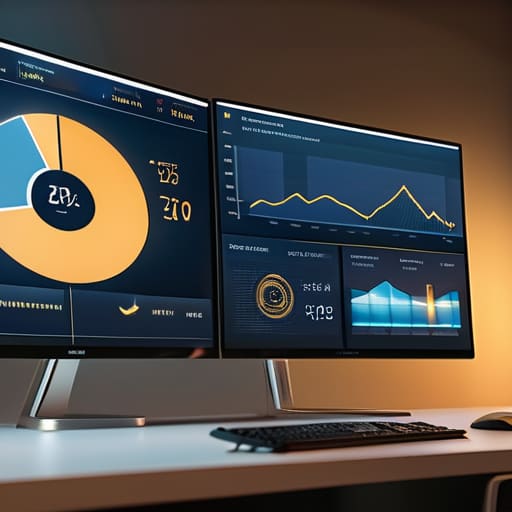
Creating a Marketing Dashboard to Track Results

Posted on September 2, 2026September 9, 2026 by Marisol Quintero

I was sitting in a cramped back office of a boutique client last year, watching a founder stare at a screen full of colorful, spinning graphs, looking more stressed than when she started. She was paying a premium for a high-end, automated marketing dashboard that tracked everything from “brand sentiment” to “social engagement velocity,” yet she couldn’t tell me if her last ad spend actually moved the needle on her bottom line. It was a classic case of data clutter—a shiny, expensive distraction that offered plenty of noise but zero clarity.

I’m not here to sell you on more vanity metrics or complex software that requires a degree in data science to navigate. My goal is to show you how to build a practical, stripped-back marketing dashboard that focuses on the only numbers that actually matter for your survival and growth. We are going to cut through the fluff and focus on the real truth of your ROI, so you can stop guessing, stop wasting money, and finally get back to running your business.

Table of Contents

  • Mastering Marketing Roi Tracking Without the Endless Busywork
  • Why Real Time Marketing Analytics Is Your Only Path to Sanity
  • 5 Rules for a Dashboard That Actually Works (and Doesn't Just Look Pretty)
  • The Bottom Line: What to Do Before You Close Your Notebook
  • ## Stop Flying Blind
  • Stop Guessing and Start Scaling
  • Frequently Asked Questions

Mastering Marketing Roi Tracking Without the Endless Busywork

Mastering Marketing Roi Tracking Without the Endless Busywork

Most founders I work with are drowning in data but starving for actual insight. They spend Sunday nights scrolling through three different platforms, trying to piece together whether a specific campaign actually moved the needle or just burned a hole in their budget. This isn’t “being hands-on”; it’s inefficient. To get your time back, you need to move toward marketing ROI tracking that happens in the background, not something that requires a manual audit every single week.

The secret isn’t more data; it’s better curation. Stop trying to track every single click and start focusing on the metrics that actually impact your bottom line. I always recommend setting up a system that prioritizes customer acquisition cost visualization so you can see, at a glance, if your spend is scaling sustainably or if you’re just throwing money at a wall. If you can’t see the relationship between your ad spend and your actual profit within thirty seconds of looking at a screen, your reporting is broken. Fix the system, then get back to running your business.

Why Real Time Marketing Analytics Is Your Only Path to Sanity

Why Real Time Marketing Analytics Is Your Only Path to Sanity

Most founders I consult with are stuck in a cycle of “reactive management.” They spend their Sunday nights squinting at spreadsheets from last month, trying to figure out why sales dipped or why a specific campaign felt like a money pit. That isn’t leadership; it’s damage control. If you’re waiting until the end of the quarter to see if your strategy worked, you’ve already lost. You need real-time marketing analytics to act as an early warning system, not a post-mortem report.

When you have visibility into your data as it happens, you stop making decisions based on “gut feelings” or what a social media influencer told you to do. Instead, you can see exactly when your customer acquisition cost visualization starts trending in the wrong direction and pivot before you’ve burned through your entire monthly budget. This isn’t about being obsessed with numbers; it’s about gaining the clarity needed to step away from your desk. Real-time data gives you the permission to stop micromanaging every tiny detail and finally start trusting your systems.

5 Rules for a Dashboard That Actually Works (and Doesn't Just Look Pretty)

  • Stop tracking vanity metrics. I don’t care how many likes your latest post got if those likes aren’t turning into sales. If a metric doesn’t help you make a decision about where to put your next dollar, take it off the dashboard.
  • Focus on the “Golden Trio.” Your dashboard needs to show three things clearly: Customer Acquisition Cost (CAC), Conversion Rate, and Return on Ad Spend (ROAS). If you can’t see these three at a glance, you’re just looking at noise.
  • Automate the data pull or don’t bother. If you are manually typing numbers from Facebook into an Excel sheet every Monday morning, you aren’t running a business; you’re performing unpaid data entry. Use a tool that pulls the data automatically so you can spend your time actually analyzing it.
  • Build for your “Sunday Night Self.” Design your dashboard so that you can look at it for five minutes on a Sunday evening and know exactly what the game plan is for the week. If it takes an hour to interpret the charts, it’s too complicated.
  • Connect marketing data to your bank account. A marketing dashboard shouldn’t exist in a vacuum. It needs to bridge the gap between your ad spend and your actual revenue. If your dashboard says you’re winning but your cash flow says you’re losing, your dashboard is lying to you.

The Bottom Line: What to Do Before You Close Your Notebook

Stop collecting data just for the sake of having it; if a metric doesn’t directly tell you whether to keep spending or pull back, it’s just digital clutter.

Your dashboard should be your early warning system, not a post-mortem tool—use it to catch sinking campaigns before they drain your bank account.

Automate the tracking so you can get back to running your business; if you’re spending more time updating spreadsheets than analyzing results, your system is broken.

## Stop Flying Blind

A marketing dashboard isn’t just a collection of pretty charts to show off; it’s your business’s reality check. If you aren’t looking at your actual numbers every single week, you aren’t running a business—you’re just participating in a very expensive guessing game.

Marisol Quintero

Stop Guessing and Start Scaling

Stop Guessing and Start Scaling with data.

Look, building a marketing dashboard isn’t about collecting shiny new metrics just to feel productive. It’s about cutting through the noise so you can see exactly where your hard-earned money is going and, more importantly, where it’s being wasted. We’ve covered why you need real-time data to maintain your sanity and how to track ROI without drowning in spreadsheets every single Sunday night. The goal is simple: move away from gut feelings and toward data-driven clarity. When you have a centralized view of your performance, you stop reacting to every tiny fluctuation and start making intentional, strategic moves that actually move the needle for your bottom line.

At the end of the day, your business should be a vehicle for the life you want to live, not a cage that keeps you tethered to a screen 24/7. A solid dashboard is more than just a technical tool; it is your ticket to reclaiming your time. Once you stop obsessing over vanity metrics and start focusing on the numbers that actually impact your operations, you’ll find the breathing room you’ve been looking for. Build your systems, trust your data, and then get out of the weeds so you can focus on the big picture. You’ve got this.

Frequently Asked Questions

I don't have a massive budget; do I really need expensive software, or can I build a functional dashboard using tools I already pay for?

Look, you don’t need a five-figure enterprise software subscription to see what’s actually happening in your business. If you’re already paying for Google Sheets, Looker Studio, or even the built-in analytics in Shopify, you have enough to build something functional. Stop looking for a magic tool to fix your lack of clarity. Start by pulling your existing data into a simple, organized spreadsheet. A clean, manual dashboard beats a fancy, expensive one you don’t understand every single time.

How do I know which specific metrics to track without getting overwhelmed by a wall of useless data?

Stop trying to track everything. If you look at fifty different metrics, you aren’t looking at anything; you’re just staring at noise. Start with the “Big Three”: Customer Acquisition Cost (CAC), Lifetime Value (LTV), and your actual conversion rate. If these three numbers are healthy, your business is breathing. Everything else is just vanity. Pick the three numbers that actually dictate whether you can pay your bills and go home on time.

Once I have the dashboard set up, how often should I actually be looking at it to make decisions without letting it consume my entire week?

Look, if you’re checking your dashboard every hour, you’ve built a new way to procrastinate, not a system. That’s just anxiety masquerading as “being hands-on.”

  • 1
  • 2
  • 3
  • 4
  • 5
  • Next

Recent Posts

  • Stop Posting for Likes and Start Building for Profit: How to Create a Content Strategy That Actually Fuels Your Systems Instead of Draining Your Life.
  • Developing Customer Personas
  • Stop Chasing Hype and Start Building Systems: How to Write a Business Plan That Actually Scales Your Life, Not Just Your Workload
  • Understanding the Basics of Search Engine Optimization
  • How to Design a Customer Referral Program

Recent Comments

No comments to show.

Archives

  • October 2026
  • September 2026
  • August 2026
  • July 2026
  • June 2026
  • May 2026
  • April 2026
  • March 2026
  • February 2026
  • January 2026

Categories

  • Business
  • Guides
  • Marketing
  • Operations
  • Tools
© 2026 CreatickSolutionz | Powered by Minimalist Blog WordPress Theme