
Stop buying expensive, high-tech software subscriptions just because a Silicon Valley influencer told you it’s the “future of work.” I see boutique owners pouring money into flashy digital tools, thinking a shiny new interface will suddenly fix their communication issues. Let me tell you something: if your team can’t explain a simple process on a piece of scrap paper, a suite of fancy collaborative whiteboards isn’t going to save you; it’s just going to give you a more expensive way to stay confused.
I’m not here to sell you on the latest SaaS trend or promise a magical digital transformation. My goal is to show you how to use these tools to actually map out your workflows, identify your bottlenecks, and get your team on the same page without the unnecessary fluff. We are going to look at how to implement collaborative whiteboards in a way that serves your bottom line, not your ego. I’ll give you the practical, no-nonsense framework you need to turn digital chaos into organized, repeatable systems that actually let you step away from your desk.
Table of Contents
- Why Online Brainstorming Software Fails Your Broken Systems
- Building Real Agile Workflow Visualization Instead of Noise
- Stop Using Whiteboards as Digital Junk Drawers: 5 Ways to Make Them Actually Work
- The Bottom Line: Stop Playing Digital Pretend
- ## Stop Using Tools to Decorate Chaos
- Stop Decorating Your Chaos
- Frequently Asked Questions
Why Online Brainstorming Software Fails Your Broken Systems
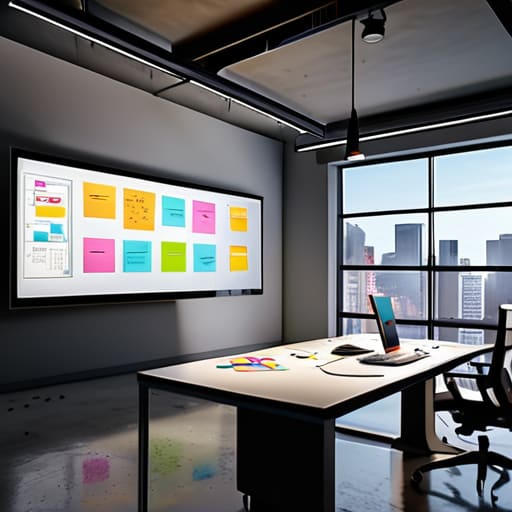
I see this mistake constantly with the boutique owners I consult for: they buy a subscription to a fancy piece of online brainstorming software and think they’ve suddenly solved their communication problems. They treat a digital canvas like a magic wand, expecting it to fix a team that doesn’t actually know who is responsible for what. If your underlying processes are a mess, a new tool won’t fix them; it will just allow you to visualize your chaos in high definition.
Most people use these platforms as a glorified dumping ground for random ideas, rather than a way to build actual structure. They scatter virtual sticky notes for remote work all over the screen, but without a standardized way to categorize or assign those tasks, they’re just digital scraps of paper. You aren’t building an agile workflow; you’re just creating a prettier version of the same disorganized mess you had in your email inbox. Real progress requires more than just a pretty interface—it requires a disciplined method for turning those visual ideas into actionable steps.
Building Real Agile Workflow Visualization Instead of Noise
If you’re just using a digital canvas for teams to throw random ideas onto a screen, you aren’t actually building a workflow; you’re just creating a digital junk drawer. I see this constantly with my clients. They buy a subscription to some fancy software, fill it with colorful virtual sticky notes for remote work, and then wonder why their team is still confused about who is doing what. A tool is not a strategy. If you don’t have a defined process for how a task moves from “idea” to “completed,” you’re just decorating the chaos.
To make this work, you need to use these tools for agile workflow visualization that actually follows your business logic. Stop treating the screen like a playground and start treating it like a blueprint. Map out the specific hand-off points between your departments. When your team can see exactly where a bottleneck is happening in real-time, they can fix it without waiting for a weekly sync. Real clarity comes from structure, not from having the most expensive interactive diagramming tools on the market.
Stop Using Whiteboards as Digital Junk Drawers: 5 Ways to Make Them Actually Work
- Stop the “Infinite Canvas” Trap. If you give your team a digital space with no boundaries, you’ll end up with a chaotic mess of ideas that never turns into an action item. Set specific zones for brainstorming, decision-making, and task tracking so people know exactly where to look.
- Standardize Your Visual Language. Don’t let everyone use different colored sticky notes for different meanings. If blue means “in progress” for one person and “high priority” for another, your system is broken. Pick a color code, write it at the top of the board, and stick to it.
- Map the Process, Not Just the Idea. A whiteboard shouldn’t just be a place to dump random thoughts; it should visualize the actual flow of a project from start to finish. If you can’t trace a line from an idea to a finished deliverable on that board, you’re just playing with digital stickers.
- Use the Board to Identify Bottlenecks, Not Just Progress. I want to see where the work is getting stuck. Use your whiteboard to highlight the “waiting” stages. If one area of your board is overflowing with red notes, you don’t have a creative problem—you have an operational bottleneck.
- Force a Transition from Board to Backend. A whiteboard is a tool for clarity, not a permanent storage unit. Once a session is over, the decisions made on that board must be immediately moved into your actual project management software or task list. If it stays on the board, it’s just noise.
The Bottom Line: Stop Playing Digital Pretend
A whiteboard is a diagnostic tool, not a toy; if you aren’t using it to map out where your processes are actually leaking time and money, you’re just adding more digital clutter.
Visualizing your workflow is useless if your team doesn’t have the authority to act on what they see—systems only work when the map matches the actual execution.
Don’t let a shiny new software subscription trick you into thinking you’ve solved your operational chaos; fix the underlying workflow first, then choose the tool that supports it.
## Stop Using Tools to Decorate Chaos
A collaborative whiteboard isn’t a magic wand that fixes a disorganized team; it’s a magnifying glass. If your processes are a mess, a digital whiteboard will just help you visualize that mess in high definition. Use it to map the actual workflow, not to create a colorful distraction from the fact that nobody knows who is responsible for what.
Marisol Quintero
Stop Decorating Your Chaos
At the end of the day, a collaborative whiteboard isn’t just another shiny tool to add to your tech stack; it’s a diagnostic instrument. If you’re just using it to move digital sticky notes around without a clear understanding of your underlying processes, you’re just digitizing your dysfunction. We’ve talked about why generic brainstorming software fails when your backend is a mess and why you need to prioritize actual workflow visualization over mere digital noise. The goal isn’t to have the prettiest board in the industry—it’s to ensure that every team member knows exactly what they are responsible for and how that task impacts the bottom line. Stop using software to mask broken systems and start using it to expose them.
Building a sustainable business means making decisions based on clarity rather than intuition or “vibes.” When you implement these visual systems, you aren’t just organizing tasks; you are reclaiming your time and your sanity. You deserve a business that operates like a well-oiled machine, not one that requires you to be the constant, frantic glue holding every loose end together. Use these tools to create operational transparency, so you can finally step back from the day-to-day firefighting. Build systems that serve your life, not the other way around.
Frequently Asked Questions
How do I keep my team from turning a digital whiteboard into a chaotic mess of random digital sticky notes?
Stop treating your digital whiteboard like a junk drawer. If your team is just dumping random sticky notes everywhere, it’s because you haven’t given them a framework to follow. You need to set “zones” or specific templates before the session even starts. Define the objective, create designated columns for tasks, and establish a rule: if a note doesn’t serve the immediate workflow, it doesn’t go on the board. Discipline beats digital clutter every time.
Is it actually worth paying for a premium tool, or can I just use a free version and a decent process?
Look, don’t drop a monthly subscription just because a salesperson promised you “magic.” If you’re a team of three working out of a home office, a free version and a disciplined process are plenty. But if you’re managing multiple locations or a growing staff, those “free” limitations become a tax on your time. Buy the premium tool only when the friction of the free version starts costing you more in wasted hours than the subscription itself.
How do I transition my team from old-school physical planning to a digital whiteboard without losing all our momentum?
Don’t try to flip the switch overnight; you’ll just create friction and resentment. Start by running a hybrid week. Keep your physical board for the daily stand-ups so the team feels that tactile connection, but use the digital whiteboard to document the actual decisions and workflows. Once they see that the digital version isn’t just “extra work” but a way to actually find their lost notes, the transition happens naturally. Focus on utility, not novelty.
