I remember standing behind a counter in a boutique I managed ten years ago, watching a line of frustrated customers snake out the door because our outdated terminal decided to freeze right in the middle of a holiday rush. The air felt heavy, the tension was palpable, and all I could think about was how much money and sanity we were bleeding out through a machine that couldn’t do its one job. Most people think upgrading to modern point of sale systems is just about fancy touchscreens or aesthetic hardware that looks good on a countertop, but they’re dead wrong. If your system doesn’t actually talk to your inventory or give you a clear picture of your margins, you aren’t buying a tool—you’re just buying a more expensive way to stay stressed.
I’m not here to sell you on the latest shiny gadget or some bloated software package that promises the moon. My goal is to help you cut through the marketing noise and find the practical infrastructure your business actually needs to thrive. I’m going to show you how to choose a system that streamlines your workflow and, more importantly, gives you the real numbers you need to stop guessing and start growing.
Table of Contents
Ditch the Guesswork With Real Time Sales Reporting
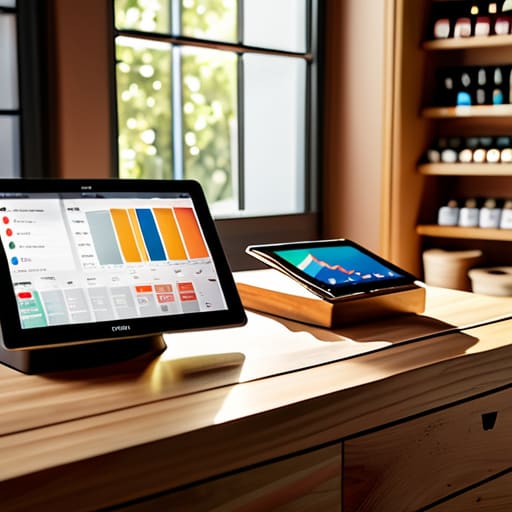
If you’re still relying on a crumpled stack of paper receipts or a spreadsheet you update once a week, you aren’t running a business—you’re running a guessing game. I’ve seen too many boutique owners lose hundreds of dollars simply because they didn’t realize a specific item wasn’t moving, or worse, they ran out of stock during a peak weekend. When you utilize real-time sales reporting, you stop playing defense. You get to see exactly what is selling, when it’s selling, and what’s just taking up valuable shelf space.
The magic happens when you move away from legacy hardware and embrace cloud-based POS software. This isn’t about having a shiny new gadget; it’s about having access to your actual numbers from anywhere. Whether I’m at my desk or out hunting for a vintage teak sideboard, I need to know my margins. Having that data at my fingertips means I can make decisions based on hard evidence rather than just a “gut feeling” that usually ends up costing me money.
Why Cloud Based Pos Software Is Your New Best Friend
I’ve seen too many founders tether themselves to their storefront, terrified that if they aren’t physically standing behind the counter, something will break. That’s a recipe for burnout, not a business. Moving to cloud-based POS software is the first step toward reclaiming your time. Because your data lives in the cloud rather than on a single, dusty terminal in the back room, you can check your sales or adjust your stock from your phone while you’re actually enjoying your weekend.
It’s not just about convenience, though; it’s about visibility. When your system is connected to the web, your retail inventory management becomes proactive instead of reactive. You won’t find out you’re out of a best-seller when a customer is standing right in front of you with their credit card out. You’ll know days in advance. If you want a business that supports your life instead of swallowing it whole, you have to stop managing by intuition and start managing with accessible, real-time information.
5 Ways to Make Your POS Work for You (Instead of the Other Way Around)
- Look for seamless inventory integration. If you have to manually update your stock levels in a separate spreadsheet every time you make a sale, you aren’t running a business—you’re running a data entry job. Your POS should talk to your inventory in real-time so you actually know what’s on the shelf.
- Prioritize offline mode. There is nothing more unprofessional than having a line of frustrated customers out the door because your Wi-Fi decided to take a nap. Ensure your system can process transactions locally and sync once you’re back online so your revenue doesn’t stall just because of a bad connection.
- Audit your reporting capabilities before you buy. Don’t just settle for “total sales” numbers. You need a system that can break down margins, top-performing categories, and even staff performance. If you can’t see exactly where your money is going, you can’t fix the leaks.
- Test the hardware durability. I’ve seen too many boutique owners blow their budget on sleek, beautiful tablets only to realize they aren’t rugged enough for a high-traffic retail floor. Make sure the hardware is built to survive a busy Saturday afternoon, not just look pretty on a desk.
- Check for employee permission controls. You need to be able to restrict certain functions—like processing refunds or applying massive discounts—to specific staff members. It’s not about a lack of trust; it’s about having the guardrails in place to protect your bottom line while you’re away from the shop.
The Bottom Line: Stop Managing by Feeling
Stop chasing vanity metrics like Instagram likes if you don’t actually know your daily margins; a good POS turns guesswork into hard data.
Invest in cloud-based systems so you can step away from the storefront without the fear that things are falling apart in your absence.
Your technology should work for you, not the other way around—if your system is adding complexity instead of cutting it, it’s time to swap it out.
Systems Over Hype
“If you’re still trying to run your business off a shoebox of receipts and a gut feeling, you aren’t scaling—you’re just managing chaos. A good POS system isn’t just a way to take payments; it’s the tool that finally gives you the data you need to stop working eighty hours a week and start actually running the show.”
Marisol Quintero
Stop Managing Chaos and Start Leading
Look, at the end of the day, a POS system isn’t just some expensive digital cash drawer; it’s the heartbeat of your entire operation. We’ve talked about why you can’t afford to fly blind without real-time data and why cloud access is non-negotiable if you ever want to step away from the counter for more than twenty minutes. If you aren’t using your software to track inventory, automate your reporting, and understand your margins, you aren’t running a business—you’re just managing a very stressful hobby. Get the right tools in place now so you can stop playing firefighter and start acting like the CEO you actually are.
I want you to remember why you started this in the first place. You didn’t launch a brand to spend every waking hour reconciling spreadsheets or stressing over stockouts. You started this to build something of your own. Investing in solid systems is how you reclaim your time and protect your sanity. Build your business on a foundation of reliable processes and clear numbers, and I promise you, it will start serving your life instead of consuming it. Now, put down the phone, close the laptop, and go do something that actually makes you feel human again.
Frequently Asked Questions
How much am I actually going to spend on hardware and monthly fees once I factor in everything?
Let’s get real: the sticker price is rarely the final number. You’ll face upfront hardware costs—terminals, scanners, printers—that can run you anywhere from $500 to $2,000 depending on your setup. Then there’s the “hidden” layer: monthly SaaS subscriptions and, most importantly, transaction fees. Don’t just look at the software cost; look at the percentage they take per swipe. Map out every single cent before you sign anything, or your margins will bleed.
Can I actually integrate this with the inventory software I'm already using, or am I just adding another layer of manual data entry?
If you’re asking this, you’re already ahead of most founders. You shouldn’t be manually typing numbers from one screen to another; that’s just asking for human error and wasted hours. Most modern POS systems are built to play nice with existing inventory software via API integrations. Before you buy, ask the vendor for their integration list. If it doesn’t sync automatically, walk away. We’re building systems here, not more busywork.
What happens to my sales if the internet goes down in the middle of a busy Saturday rush?
This is the nightmare scenario every boutique owner dreads, but here’s the reality: if your POS doesn’t have an “offline mode,” you’re essentially closing your doors mid-rush. You need a system that allows you to keep swiping cards and ringing up sales even when the Wi-Fi dies. It stores the data locally and syncs everything once you’re back online. Don’t let a bad connection turn a profitable Saturday into a total operational meltdown.
